

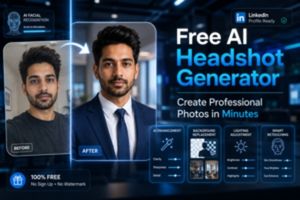
Professional photos have become essential in today’s digital world. Whether you are applying for jobs, building a LinkedIn profile, running a business, or growing your online presence, a professional headshot helps create a strong first impression.
Earlier, creating professional portraits required photographers, expensive cameras, and advanced editing software. Now, AI technology has made the process much easier. With an AI professional photo generator free, users can create studio-style portraits in just a few minutes.
Modern AI tools are simple, fast, and beginner-friendly. Anyone can upload selfies and generate professional-looking images without technical editing knowledge.
For more photo editing resources and AI editing guides, visit the Saivion India Photo Editing Software Blog.
What Is an AI Professional Photo Generator?
AI-based free online photo enhancers allow users to take a standard photograph and convert it into a more polished, realistic portrait by automatically enhancing the quality of the light, background, face and the sharpness of the image data. AI tools will allow users to create many different portrait styles for professional purposes and save time creating professional-quality images with little effort.
Why Free AI Headshots Are Becoming Popular
Professional online branding matters more than ever. Recruiters, clients, and businesses often notice profile photos before reading resumes or portfolios.
This is why free ai headshots are becoming highly popular among professionals, freelancers, students, and creators.
Affordable Solution
Traditional studio photography can be expensive for many people. AI tools provide a low-cost or free alternative for generating professional portraits quickly.
Users no longer need expensive equipment or photographers to create polished headshots.
Fast Image Creation
AI tools generate professional portraits within minutes. Users can skip long editing processes and photography appointments.
This makes AI headshot tools convenient for busy professionals and remote workers.
Beginner-Friendly Process
Most platforms are designed for users without editing experience. The process is simple and easy to follow.
Users only need to upload photos, select styles, and download the final images.
Professional Results
Modern AI systems can create realistic business portraits with a studio-quality appearance. Many generated images look natural and highly professional.
These headshots are suitable for LinkedIn, resumes, websites, and social media branding.
How to Create Headshot Images Using AI
Many users want to know how to create headshot photos using AI technology. The process is simple and requires only a few steps.
Upload Clear Photos
Start by uploading high-quality selfies or portrait images. Good lighting and clear facial details help the AI generate better results.
Using multiple photos from different angles can improve image accuracy.
Select a Professional Style
Most AI platforms provide different portrait styles such as formal business, corporate, startup, casual office, and creative headshots.
Users can choose styles depending on where the image will be used.
Let the AI Process the Photos
The AI automatically improves lighting, background appearance, sharpness, and facial details. Some tools can even generate professional outfits digitally.
This helps users create studio-style portraits without advanced editing.
Download the Final Images
After processing, users receive multiple professional portrait variations. They can select the best images and download them in high resolution.
These photos are ready for resumes, LinkedIn profiles, portfolios, and websites.
Important Features to Look for in a Headshot Maker
Choosing the right headshot maker is important for getting realistic and polished results. Different AI platforms offer different features.
Here are some important things users should look for.
Realistic Facial Appearance
Professional portraits should look natural and authentic. Good AI tools preserve realistic facial details and expressions.
Over-edited images may reduce professionalism and trust.
High-Resolution Downloads
Sharp image quality is essential for business platforms, presentations, and websites.High-resolution images improve visual appearance across all digital devices.
Professional Backgrounds
Clean backgrounds make headshots look more professional. Many AI tools automatically remove distracting backgrounds.
Studio-style backgrounds help portraits appear more polished.
Formal Outfit Generation
Some AI platforms can digitally add formal business clothing such as suits, blazers, and shirts.This feature is useful for users who do not have professional portraits already.
Fast Processing Speed
Efficient AI tools generate results quickly. Many platforms can create professional photos in just a few minutes.This saves time compared to traditional photography editing workflows.
Why Professionals Prefer the Best Headshot App
The best headshot app helps users maintain a professional digital identity. Business professionals and freelancers increasingly use AI-generated portraits for online branding.
Professional profile photos create stronger first impressions.
Better LinkedIn Profiles
A polished LinkedIn headshot improves profile credibility and visibility. Professional images often attract more networking opportunities.
A good profile photo helps users appear more reliable and confident.
Strong Personal Branding
Entrepreneurs, creators, coaches, and consultants need consistent branding online. Professional portraits improve online presentation.
Strong visuals help build audience trust and recognition.
Improved Business Websites
Team pages and business websites look more organized when employees use professional headshots.
Consistent profile photos improve company branding and trustworthiness.
Helpful for Remote Teams
Remote professionals can generate studio-style portraits directly from home. AI tools remove the need for photography studios.
This makes professional branding easier for remote workers and distributed teams.
How AI Is Improving Free Photo Editing Software
Artificial intelligence has completely changed the world of free photo editing software. Many editing tasks that once required advanced skills are now automated.
AI tools make professional photo editing accessible for beginners.
Automatic Lighting Correction
AI systems can automatically improve brightness and exposure. This helps users create cleaner and more balanced portraits.
Good lighting improves the overall quality of headshots.
Facial Enhancement
Modern AI tools improve facial sharpness while maintaining natural skin texture and realistic details.
The goal is to enhance photos without making faces look artificial.
Background Cleanup
Messy backgrounds reduce professionalism. AI tools can blur, replace, or clean backgrounds automatically.
Professional backgrounds help headshots appear more polished.
Smart Retouching
AI editing systems can reduce blemishes, improve image clarity, and sharpen portraits naturally. These small enhancements create professional-quality results quickly.
Common Uses of a Formal Photo Maker
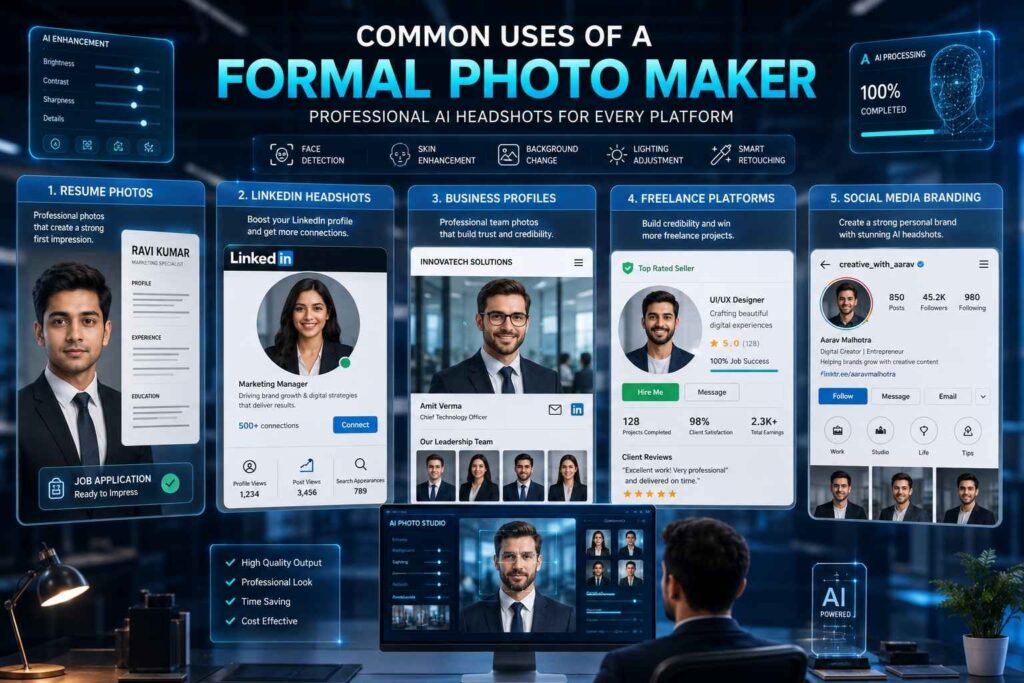
A formal photo maker is useful for many professional purposes. AI-generated portraits are now widely used across industries.
Resume Photos
Professional resume photos create stronger first impressions during job applications.
Clear and polished portraits help candidates appear more professional.
LinkedIn Headshots
LinkedIn is one of the most important platforms for professional networking.
A professional headshot improves profile engagement and visibility.
Business Profiles
Companies use professional portraits for websites, presentations, and employee directories.
Consistent visuals strengthen brand identity.
Freelance Platforms
Freelancers compete heavily online for client attention. Professional profile photos help increase trust and credibility.
Strong visuals improve overall profile presentation.
Social Media Branding
Content creators and entrepreneurs often use AI-generated portraits for social media branding. Professional images help create a polished and consistent online identity.
Tips for Better AI Headshot Results
Even the best AI tools work better with quality photos. Following simple tips can improve the final image quality significantly.
Use Natural Lighting
Natural lighting helps AI systems detect facial features accurately. Bright and evenly lit images usually generate better portraits.
Good lighting improves overall image realism.
Avoid Heavy Filters
AI generators perform better with original and unedited photos. Heavy filters may reduce image quality.
Natural photos help the AI create more realistic results.
Upload Multiple Angles
Different facial angles help the AI understand facial structure more accurately.
This improves portrait consistency and realism.
Wear Simple Clothing
Neutral clothing keeps the focus on the face. Simple outfits often look cleaner in professional portraits.
Minimal distractions improve overall presentation.
Maintain Natural Expressions
Friendly and relaxed expressions work best for business headshots. Natural smiles usually appear more professional and approachable.
Why Businesses Use Professional Photo AI Free Tools
Businesses increasingly use professional photo ai free tools for company branding and employee profiles.
AI-generated portraits help organizations save time and reduce photography costs.
Lower Photography Expenses
Professional photography sessions for large teams can be expensive. AI tools offer a more affordable alternative.
Companies can create professional headshots without large studio budgets.
Consistent Employee Branding
Uniform employee portraits improve company branding and visual consistency.
Professional visuals help businesses appear more organized and trustworthy.
Faster Employee Onboarding
New employees can quickly receive professional profile pictures using AI tools.
This simplifies onboarding processes for growing businesses.
Support for Remote Employees
Remote teams can generate professional portraits without traveling to studios.
AI tools make professional branding easier for distributed companies.
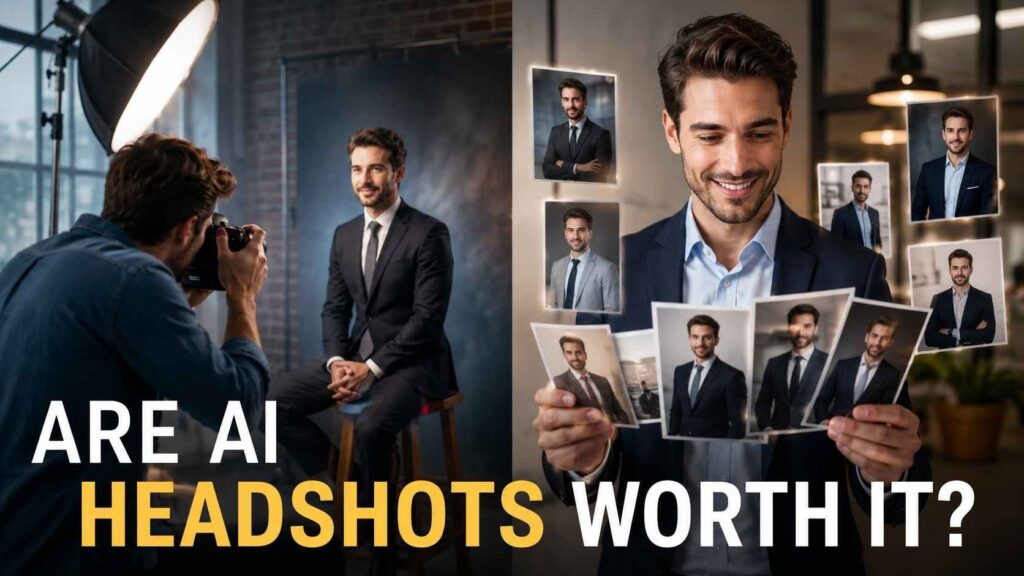
Are Free AI Headshot Generators Worth Using?
For most users, AI headshot generators provide excellent value. They save time, reduce costs, and simplify professional photography.
Students, freelancers, business owners, and job seekers can all benefit from AI-generated portraits.
Although traditional photography still offers advantages for commercial campaigns, AI tools are highly effective for everyday professional use.
The quality of AI-generated portraits continues to improve as technology evolves.
Future of AI Professional Photo Tools
Artificial intelligence is evolving rapidly, and future photo editing tools will become even smarter.
Upcoming AI innovations may include:
- Real-time portrait generation
- AI-powered branding tools
- Voice-controlled editing
- Advanced facial enhancement
- Virtual photography studios
- Instant business profile generation
- Personalized style recommendations
As AI technology improves, professional photography will become more affordable and accessible for everyone.
Final Thoughts
Using an ai professional photo generator free is one of the easiest ways to create professional-looking portraits today. AI-powered tools help users generate polished headshots quickly without expensive cameras or advanced editing knowledge.
From LinkedIn profiles and resumes to business websites and social media branding, professional photos now play an important role in digital identity. AI technology allows users to create headshot images that look clean, realistic, and business-ready within minutes.
Whether you need a formal photo maker, a headshot editor, or free photo editing software, modern AI platforms provide fast and practical solutions. These tools continue transforming the future of professional photography by making high-quality visual branding accessible to everyone.