

The role of images in online communication cannot be overestimated. From publishing photos in social networks, setting up a website for online shopping, or posting blog material, you should take care of the quality of your visual content.
However, no matter how good your photos look, in most cases, they require a few tweaks to make them look right. The easiest but still very effective way to edit photo images is to learn how to crop image files properly. Cropping goes far beyond cutting the edges of a photo image. Besides improving its composition and eliminating the distracting elements from your image, the correct crop helps prepare images for various applications.
In today’s world, there is no need to invest money in software and spend hours on training to edit your photos. You just need a reliable image cropper to be able to create perfectly framed photos.
In this guide, we will tell you all about image cropping: why it is necessary, when to apply it, how many types of cropping there are, and what techniques pros use to create visually appealing photos.
What Does It Mean to Crop an Image?
Image Cropping is the act of deleting unwanted portions of a photo at its periphery, leaving the vital portions of the image intact. This process is not concerned with manipulating any color scheme; rather, it modifies the image itself.
It can be understood as finding the right perspective on your photograph. By getting rid of unnecessary parts, you focus viewers’ attention precisely on that portion you intend to.
For instance, take a nice picture of someone in a crowded park. Despite looking very good in the photograph, you have other people, cars, and other distracting elements around the focal point of the photo. Image cropping helps eliminate such elements without affecting the overall quality of the picture.
Cropping is a common practice in photography, graphic design, digital marketing, advertising, publishing, and eCommerce.
Why Is Cropping Important?
Many beginners believe that cropping simply makes an image smaller. In reality, it is one of the most effective ways to improve a photograph without making complex edits.
Here are some of the biggest advantages of using a photo cropper.
1. Improves Image Composition
Composition is basically how the various components in an image are arranged. A well-composed image will naturally draw the eye and create a balanced image.
At times, an image will be composed of too much empty space, or the object will be placed in an uncomfortable location. Pic cropping enables the photographer to relocate the object and improve the image. A good photographer will always take photos with extra space since he knows that he will have a chance to edit the photo later on through picture cropping.
2. Removes Unwanted Distractions
Distractions due to background noise are frequent in photography. People, signs, wires, furniture, or shadows may lessen the value of your shot if they are not in the picture.
Rather than shooting the photograph all over again, it is possible to simply remove parts of the image that have no bearing on the story.
3. Highlights the Main Subject
One of the major objectives of photography is directing the eyes of the viewer towards the subject. The more background that exists around the subject that is not necessary to the photograph, the more difficult it will be for the viewer to direct his attention. Through cropping, more emphasis is created.
This can apply to various types of photographs, including commercial photography, portraits, landscapes, and even food photography.
4. Creates Better Images for Different Platforms
Different websites and social media platforms require different image sizes.
For example:
- Instagram Posts – Square (1:1)
- Instagram Stories – Vertical (9:16)
- Facebook Cover – Wide landscape
- LinkedIn Banner – Landscape
- YouTube Thumbnail – 16:9
- Online Marketplace Images – Platform-specific dimensions
Instead of taking separate photos for every platform, you can simply crop pictures online using the appropriate aspect ratio.
5. Supports Professional Branding
Consistency of visual elements is very important to businesses.
A uniform look in terms of space, framing, and proportioning in the visual appearance of products increases trust in the brand. This is one of the main reasons why eCommerce websites take great efforts to crop images prior to posting them online.
Common Situations Where Image Cropping Is Used
Cropping is useful in almost every industry.
Some common examples include:
Product Photography
Online stores crop product images to keep products centered and maintain consistent dimensions across their catalogs.
Portrait Photography
Portrait photographers crop images to remove distractions while focusing on facial expressions and emotions.
Social Media Marketing
Content creators crop images according to platform requirements to maximize visibility and engagement.
Blogging
Featured blog images often require custom dimensions that fit website layouts perfectly.
Graphic Design
Designers frequently crop photographs to fit posters, brochures, advertisements, presentations, and banners.
Real Estate
Property photos are cropped to highlight important rooms or architectural features.
Understanding Image Composition Before Cropping
Cropping works best when combined with good composition principles.Instead of randomly trimming edges, professionals think carefully about how viewers will experience the photograph.
Some important composition principles include:
Rule of Thirds
Visualize splitting up the picture into nine equal parts using two lines vertically and two lines horizontally.
The four points of convergence tend to capture one’s attention.Instead of putting the object right at the center, placing it closer to the point of convergence tends to give it more balance and appeal. Modern photo croppers will automatically show you this grid when editing pictures.
Leading Lines
Roads, fences, rivers, buildings, or pathways naturally guide viewers toward the subject.When cropping, avoid removing these important visual elements because they help create depth and direction within the photograph.
Negative Space
Negative space refers to the empty areas surrounding your subject.
Although many beginners try to eliminate all empty space, some breathing room can actually make a photograph more elegant. The key is finding the right balance between subject and surroundings.
Symmetry
Symmetrical compositions often create calm, organized, and visually satisfying images. If your subject is naturally symmetrical, crop carefully to preserve that balance. Architectural photography frequently benefits from symmetrical cropping.
Different Types of Image Cropping
Not every cropping project has the same goal. Depending on your purpose, you may choose different cropping methods.
Freeform Cropping
Freeform cropping allows complete flexibility. You can drag the crop handles in any direction until you’re satisfied with the framing.
This option works well for:
- Family photos
- Travel photography
- Wildlife images
- Creative photography
- Personal projects
Fixed Aspect Ratio Cropping
Sometimes images must follow specific dimensions. Instead of manually adjusting the frame, fixed aspect ratio cropping locks the proportions.
Popular aspect ratios include:
| Aspect Ratio | Common Use |
| 1:1 | Instagram Posts |
| 4:5 | Portrait Social Media |
| 16:9 | YouTube Thumbnails |
| 3:2 | DSLR Photography |
| 9:16 | Stories & Reels |
Using the correct ratio ensures your images display properly across different platforms without unwanted stretching or automatic cropping.
How to Crop an Image Like a Professional
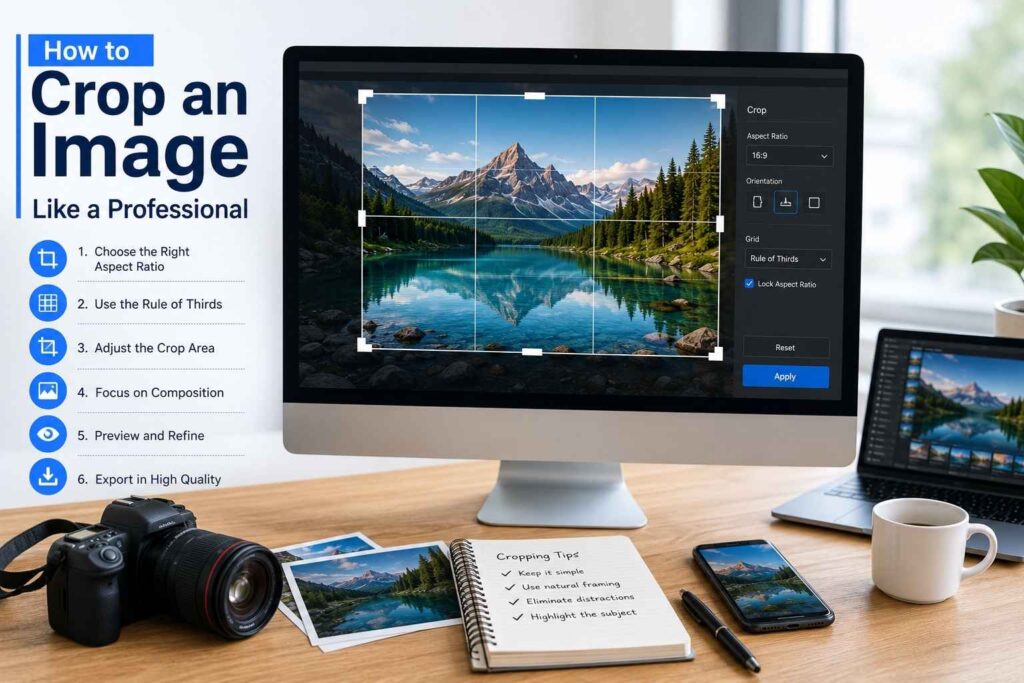
How to crop images the right way can be what sets an ordinary photograph apart from a stunning one. Even though today’s software makes cropping photographs quite simple, getting a professional look needs some basic knowledge.
No matter whether you are using a desktop program or cropping your photos using an app on your smartphone, the key is to have a step-by-step approach to it.
Step 1: Identify the Main Subject
Before making any adjustments, decide what the viewer should notice first.
Ask yourself questions like:
- What is the purpose of this image?
- Which object tells the story?
- What should attract the viewer’s attention first?
Everything outside that primary subject should support the composition rather than compete with it. For example, if you’re editing a product photo, the product should occupy most of the frame while unnecessary background elements should be minimized.
Step 2: Remove Unnecessary Background Elements
Many photographs contain objects that don’t add value.
Common distractions include:
- Random people
- Vehicles
- Electric poles
- Trash bins
- Shadows
- Empty sky
- Excess floor space
- Busy backgrounds
Using an image cropper, you can remove these distractions without affecting the main subject. Cleaner images naturally appear more professional and are easier for viewers to understand.
Step 3: Choose the Correct Aspect Ratio
Every platform displays images differently. Cropping with the wrong dimensions may result in automatic resizing or awkward framing.
Here are some common aspect ratios:
| Platform | Recommended Aspect Ratio |
| Product Images | Square or 4:5 |
| Instagram Feed | 1:1 or 4:5 |
| Instagram Story | 9:16 |
| Facebook Cover | 16:9 |
| LinkedIn Banner | Wide Landscape |
| YouTube Thumbnail | 16:9 |
| Website Banne | Custom Wide Format |
Choosing the correct ratio before exporting your image saves time and ensures consistent presentation across devices.
Step 4: Avoid Cropping Too Closely
A common mistake beginners make is cropping too tightly around the subject.
While removing distractions is important, cutting off important body parts, product edges, or surrounding context can make the image feel uncomfortable. Leave enough breathing room around your subject unless you’re intentionally creating a close-up composition.
Step 5: Check Image Resolution
Cropping removes pixels from the original image. If you crop excessively, the remaining image may lose detail when displayed on larger screens or printed.
Always begin with the highest resolution available, especially for:
- Website banners
- Print materials
- Marketing brochures
- Product catalogs
- Large advertisements
High-resolution originals give you greater flexibility during editing.
Crop Picture Online vs Desktop Software
Today’s users have two primary options when editing photographs.
Both approaches offer unique advantages depending on your workflow.
Crop Picture Online
Online editing tools have become increasingly popular because they are quick and easy to use.
Benefits include:
- No software installation
- Works directly in your browser
- Accessible from multiple devices
- Ideal for quick edits
- User-friendly interface
- Easy file sharing
A browser-based picture cropper is an excellent choice for bloggers, students, marketers, and small business owners who need fast editing without technical complexity.
Desktop Image Editors
Professional desktop software provides advanced editing features beyond simple cropping.
Advantages include:
- Better precision
- Layer support
- Color correction
- Batch editing
- Higher export quality
- Professional workflow
These tools are commonly used by photographers, graphic designers, advertising agencies, and publishing companies.
Common Cropping Mistakes to Avoid
Even experienced editors occasionally make cropping mistakes. Learning to recognize these issues will help you produce stronger photographs.
Cropping Off Important Details
Never accidentally remove:
- Eyes
- Hands
- Feet
- Product corners
- Important text
- Logos
- Architectural features
These details often provide context and improve storytelling.
Ignoring Composition
Cropping should improve balance rather than simply reduce image size.
Take time to evaluate:
- Subject placement
- Background balance
- Symmetry
- Visual flow
Thoughtful composition always produces stronger results.
Cutting Away Too Much Background
Backgrounds often contribute to the story.
For example:
A chef in a kitchen, a traveler on a mountain, or a child in a playground gains context from the surroundings. Don’t remove meaningful environmental details unless they distract from the subject.
Forgetting Platform Requirements
Uploading incorrectly sized images may result in automatic cropping by social media platforms. This can hide important parts of the image. Always prepare images using the appropriate dimensions before publishing.
Best Practices for Pic Cropping
Professional photographers follow several simple habits that consistently improve their results.
Keep the Horizon Straight
Crooked horizons immediately reduce image quality. Most editing tools include straightening guides that work alongside cropping features.
Maintain Natural Proportions
Avoid stretching or squeezing photographs after cropping. Maintaining the original proportions ensures realistic-looking subjects.
Use Grid Overlays
Grid overlays help align subjects using composition principles like the Rule of Thirds. Most modern photo cropping applications provide this feature by default.
Leave Space for Text
If your image will be used for marketing materials, advertisements, or blog headers, leave enough empty space for titles, logos, or call-to-action buttons.
Save the Original Image
Before making major edits, keep a copy of the original file. This allows you to create multiple versions later without losing image quality.
Image Cropping for eCommerce Businesses
For online stores, image quality directly influences purchasing decisions. Customers cannot physically inspect products, so photographs become the primary selling tool. Businesses often use pic cropping to create consistent product catalogs.
Benefits include:
- Uniform product presentation
- Better marketplace compliance
- Improved customer trust
- Cleaner website appearance
- Higher click-through rates
- Professional branding
Whether selling clothing, electronics, furniture, or handmade products, properly cropped images help products stand out from competitors.
Image Cropping for SEO
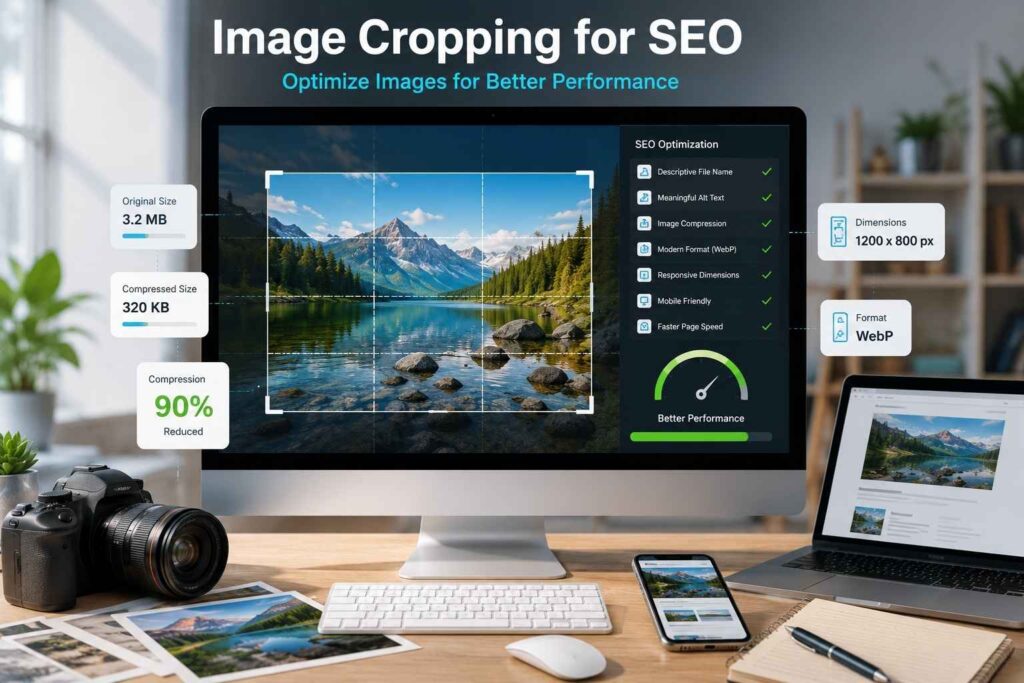
Although cropping itself is not a direct ranking factor, optimized images contribute to better website performance and user experience.
Here are several SEO best practices:
- Use descriptive image file names.
- Write meaningful alt text.
- Compress images after cropping.
- Choose dimensions that match your website layout.
- Avoid uploading oversized files.
- Use modern image formats like WebP when possible.
- Ensure images display properly on mobile devices.
Well-optimized visuals improve loading speed, reduce bounce rates, and enhance the overall browsing experience.
How to Choose the Best Image Cropper
There are many editing tools available today, but the right choice depends on your specific needs.
A good image cropper should provide:
- Simple interface
- High-quality output
- Multiple aspect ratios
- Fast processing
- Mobile compatibility
- Browser accessibility
- Support for JPG, PNG, and WebP formats
- Secure file handling
- Optional batch editing
- Easy export options
If you regularly edit images for websites or social media, selecting a tool with preset dimensions can save significant time.
Future Trends in Image Cropping
Image editing technology continues to evolve rapidly. Modern cropping tools now use artificial intelligence to simplify editing by automatically detecting subjects and suggesting ideal compositions.
Some emerging features include:
- AI-powered subject detection
- Automatic horizon correction
- Smart composition suggestions
- Facial recognition for portrait cropping
- Background-aware cropping
- One-click social media resizing
- Batch cropping using AI
These innovations allow users to create professional-looking images with minimal manual effort.
Conclusion
Among the most useful techniques in image editing is learning how to crop image files. Whether you are a photographer, blogger, businessman, marketer, or even just a regular person using pictures in some other capacity, the use of the proper technique in cropping images will go a long way towards enhancing the images.
Proper cropping eliminates any possible distractions, strengthens the composition, makes the main point stand out, and ensures that the pictures are the exact size needed for websites, social media sites, or any other platform. Using a photo cropper or picture cropper, you can ensure that all your pictures are edited to look professionally done without needing a lot of expertise in photo editing.
Given that visual content is becoming more popular, it is important for one to know how to crop a picture online and be aware of the rules of effective pic cropping.
TAGS
