

How to Edit Photos Like a Pro with Simple Techniques

Photography has really altered a lot in just the past few years. Now, snapping the picture is only part of what makes a photo; the editing is where things usually get fantastic. In fact, editing professionally will fully change how an image looks if you’re putting something on social media, creating a collection of your work, running an internet shop, or just saving a moment in time. 

Because of this, lots of people are looking for “how to edit photos like a pro”, “how to edit pictures professionally”, or “how to professionally edit photos”. Luckily, modern editing programs mean that anyone, even if they’re starting out, can get results as good as the professionals. 

And what’s great is that you don’t need to have spent ages learning or to buy expensive programs for a studio. A good grasp of what photo editing can do, along with clever ways of using it, lets absolutely anyone make pictures that are striking to look at.

Why Professional Photo Editing Matters

A good photograph captures attention, but a professionally edited image creates impact. Editing helps improve lighting, colors, sharpness, mood, and overall visual quality.

Professional editing is not about changing reality completely. Instead, it enhances the natural beauty of a photo while fixing distractions and imperfections.

Today, editing is important for:

  • Social media creators
  • Wedding photographers
  • E-commerce businesses
  • Travel bloggers
  • Personal branding
  • Marketing campaigns

Without proper editing, even high-quality photos can look flat or unprofessional.

Understanding the Basics of Photography Edits

Before learning how to professionally edit photos, it is important to understand what editing actually means.

Photography edits involve improving an image after it has been captured. This includes correcting brightness, contrast, color balance, sharpness, and composition.

Professional editors usually focus on three things:

  1. Fixing technical problems
  2. Enhancing visual appeal
  3. Maintaining natural quality

The goal is always balanced. Over-editing can make an image look artificial, while subtle editing creates a polished and professional appearance.

How to Edit Photos Like a Pro

If you want to learn how to edit photos like a pro, start with a clean editing workflow instead of randomly applying filters.

Professional editors usually follow a step-by-step process:

Start with Exposure Correction

Exposure determines how bright or dark a photo appears. If an image is too dark, details become hidden. If it is too bright, highlights can get washed out.

The first step in professional editing is balancing exposure naturally.

Adjust Contrast Carefully

Contrast controls the difference between bright and dark areas in an image. Increasing contrast can make photos look sharper and more dramatic.

However, professional editing avoids extreme contrast because it can remove natural texture.

Improve Color Balance

Colors strongly influence the mood of a photograph. Warm tones create a cozy feeling, while cooler tones give a cinematic effect.

Learning color balance is one of the most important parts of understanding how to edit pictures professionally.

Professional editors usually keep colors realistic instead of oversaturated.

Enhance Sharpness Without Overdoing It

Sharpness improves image clarity and detail. However, too much sharpening creates an unnatural look.

A professional edit should feel clean and detailed while still maintaining softness where needed.

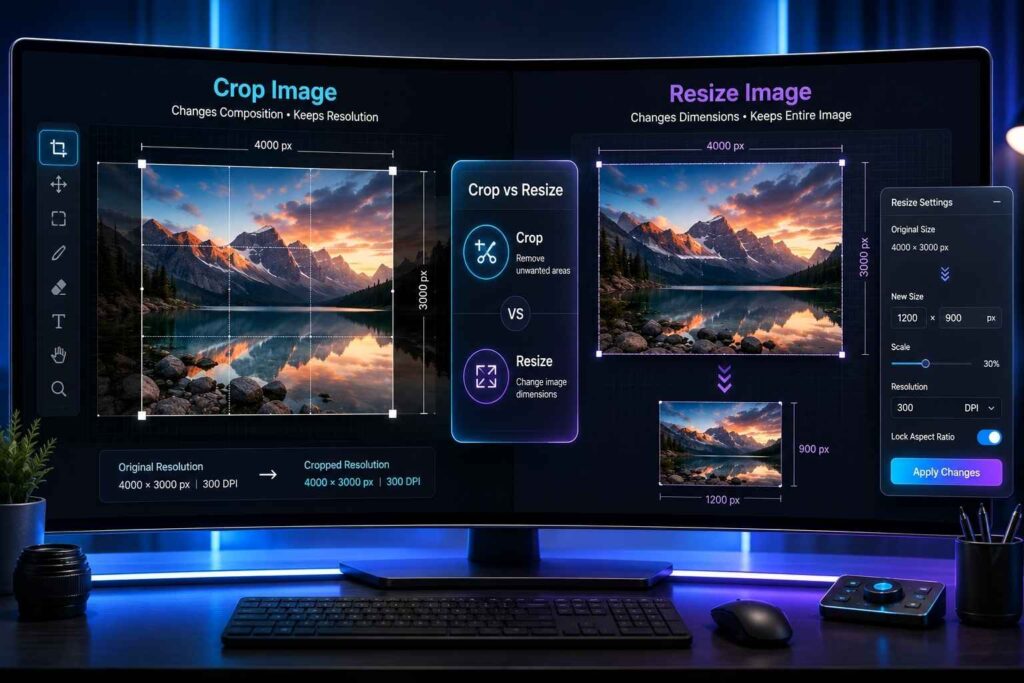
Crop for Better Composition

Composition plays a major role in visual storytelling. Cropping helps remove distractions and improve focus on the subject.

Professional photographers often use cropping to align subjects according to composition rules like the rule of thirds.

How to Edit Pictures Professionally on Mobile

Mobile editing has become extremely powerful. Many creators now edit entire projects directly from smartphones.

Modern mobile apps include advanced photo editing features like:

  • AI enhancement
  • Object removal
  • Background blur
  • Color grading
  • Noise reduction

This allows beginners to create professional-looking edits without desktop software.

The advantage of mobile editing is convenience. You can shoot, edit, and publish content within minutes.

Essential Photo Editing Features Every Editor Should Use

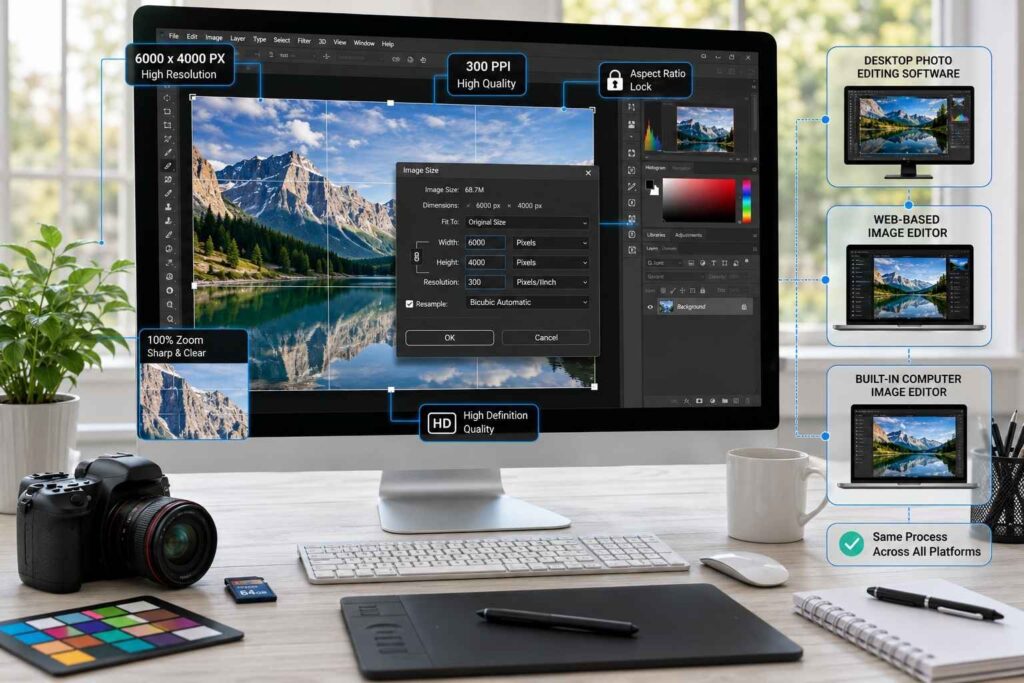
There are multiple tools contained in modern editing software, but not all tools will be required to achieve a professional result. The most useful photo editing tools include brightness adjustment, contrast control, white balance, sharpening, and selective editing.

Selective editing is particularly important because it allows you to edit only the essential sections of an image, while leaving the rest of the photograph unchanged. AI-based tools, as well, are becoming very popular because they execute complex editing tasks automatically and will save you time.

The Difference Between Amateur and Professional Editing

One of the biggest differences between beginners and professionals is editing control.

Amateur editing often includes:

  • Heavy filters
  • Excessive saturation
  • Extreme skin smoothing
  • Over-sharpening

Professional editing focuses more on realism and subtle improvements.

Experienced editors understand that the best edits are often the least noticeable.

Common Mistakes Beginners Make

A lot of people beginning their photo editing experience tend to make the same kinds of mistakes. Over-editing is one of the primary mistakes that will destroy the original beauty of an image. Applying multiple effects to an image will typically take away from its natural beauty.

The lighting balance between the brightness and shadows should be appropriate and work together in a natural way, rather than in direct competition.

In addition, many beginners rely on presets for too much of their work, without truly understanding the entire editing process.

When editing professionally, it is important to understand why you are making any changes rather than simply making random adjustments to your images.

Photography Edits That Improve Social Media Content

Social media platforms have changed how people edit images. Today, users prefer clean, aesthetic, and visually balanced photos.

Photography edits for social media usually focus on:

  • Better lighting
  • Consistent color tones
  • Clean backgrounds
  • Sharp subject focus

Professional creators also maintain a consistent editing style across all posts to build a recognizable visual identity.

This consistency helps improve branding and audience engagement.

AI Is Changing Photo Editing

How AI Is Changing Photo Editing

Artificial intelligence has transformed modern photo editing completely.

AI tools can now:

  • Automatically fix lighting
  • Remove unwanted objects
  • Improve portrait quality
  • Enhance old photos
  • Reduce blur and noise

This has made professional editing accessible even for beginners.

However, professional editors still use manual adjustments to maintain creative control and a unique style.

How to Build Your Own Editing Style

All professional photographers create a unique editing style for their photography. Many pros like light, bright images; many prefer dark, moody, or filmic-style images. This editing style has become part of who that photographer is as an artist.

To develop your own editing style, you need to build it through consistency and experimentation.You should give your photographs an edit that reflects your personal style, rather than trying to emulate what might be “popular” at any given time.

Why Natural Editing Works Best

The trend for today’s audiences is that we are drawn to authentic images. Over-edited photos can be perceived as fake and lack the ability to engage viewers.

With natural editing, we build trust with our audiences while improving the overall quality of the image without distracting our audiences from the message of the photograph.

The professional edition is not about transforming reality; it is about enhancing the existing reality. This is particularly crucial for brands/influencers/photographers who wish to develop long-term trust with their audience members.

The Future of Professional Photo Editing

There is a move towards speedier & more intelligent editing via AI assistance. However, understanding the fundamentals of creativity will also be key.

Technology has come a long way in terms of creative tools. Yet an understanding of composition, light and storytelling will remain the differentiating factor for professionals as opposed to amateurs.

Photo editing will now require knowledge of software, but also knowledge of how people perceive images emotionally & how they are balanced in relation to one another.

Final Thoughts

Photo editing has become an essential skill in today’s digital world. Whether you are a beginner or an experienced creator, learning how to edit pictures professionally can significantly improve the quality of your images.

Modern tools and advanced photo editing features have made editing easier than ever before. From mobile apps to AI-powered software, professional-quality results are now accessible to everyone.

The key is to focus on natural enhancement instead of excessive effects. Good photography edits should improve an image while keeping it realistic and visually balanced.

With practice, patience, and the right techniques, anyone can learn how to professionally edit photos and create images that truly stand out.

Photography Edits: Edit Photos on Android Easily

The role of pictures in today’s society has increased significantly since we now use them to communicate via text messages, create our social media presence, and represent our business’ brand. Unfortunately, not all photos turn out perfectly, as it is common to see them come out blurry, dark or not levelled properly.

Continue reading Photography Edits: Edit Photos on Android Easily
Smart Photo Editing Tips for Professional Looking Images

One of the most significant aspects of modern-day photography is the editing of photos. Photography by itself has typically consisted of taking a raw image with a camera. In most cases, a photographer will need to edit an image before it can truly be considered a finished product.

Continue reading Smart Photo Editing Tips for Professional Looking Images
Why Every Seller Needs an Amazon Listing Optimization Tool

New users are using these tools to improve visibility, boost rankings, and compete effectively in the crowded Amazon marketplace. Growing brands, private-label businesses, and BrandingX rely on them to refine keywords, strengthen product content, and monitor performance.

Continue reading Why Every Seller Needs an Amazon Listing Optimization Tool
Stop Reading Your Slides! The Science Behind Why Graphics + Narration Beats Text-Heavy Presentations

You’ve seen it a thousand times: a presenter clicks to reveal a slide crammed with bullet points, then proceeds to read them word-for-word. The audience’s eyes glaze over, attention wanders, and the opportunity for genuine engagement evaporates. This presentation crime isn’t just annoying—it’s scientifically proven to reduce learning and retention. The good news? Cognitive science offers a clear solution.

The Presentation Epidemic

We’ve all been victims of “death by PowerPoint”—those presentations where slides become text documents projected on a wall. While seemingly straightforward, this common practice leads to audience disengagement and poor information retention. Why does this happen? The answer lies not in opinion, but in cognitive science.

The Brain Science: How We Process Information

Richard Mayer’s Cognitive Theory of Multimedia Learning reveals three crucial insights about how our brains work when learning:

  1. Dual Channels: We process information through two separate pathways—visual (images, diagrams, written text) and auditory (spoken words, sounds).
  2. Limited Capacity: Each channel can only handle a finite amount of information simultaneously. Overloading either channel causes cognitive overload and reduces comprehension.
  3. Active Processing: We learn best when actively selecting relevant information, organizing it mentally, and integrating it with existing knowledge.

How to Get High-Quality Data Entry Services Without Overspending

The Modality Principle: Your Presentation Superpower

Given these cognitive realities, the Modality Principle states: People learn more deeply from graphics accompanied by narration than from identical information presented as graphics with on-screen text.

Why This Works So Well

  • Prevents Visual Channel Overload: When slides contain both graphics and text, your audience’s visual channel becomes overwhelmed. They must constantly shift attention between reading text and interpreting visuals—an exhausting mental juggling act.
  • Leverages Both Processing Channels: By pairing graphics (processed visually) with your spoken explanation (processed aurally), you distribute the cognitive load across both channels. Each handles what it’s best suited for, making information processing more efficient.
  • Eliminates Harmful Redundancy: When you display text and speak the same words, the brain receives duplicate information through different channels. Rather than reinforcing your message, this creates unnecessary cognitive work, especially when the visual channel is already processing graphics.

Before & After: The Modality Principle in Action

BEFORE:

[Imagine a slide with a graph showing sales trends by quarter, accompanied by six bullet points explaining the trends, causes, and implications]

The presenter reads each bullet point while the audience tries to process both the text and the graph simultaneously. Information retention is minimal.

AFTER:

[The same graph, but with only a clear title and minimal labeling]

The presenter verbally explains the trends, causes, and implications while audience members can focus visually on the relevant parts of the graph. Retention and understanding skyrocket.

How to Transform Your Presentations

Apply the Modality Principle with these practical techniques:

1. Minimize On-Screen Text

Your slides aren’t teleprompters or documents—they’re visual aids. Use only:

  • Keywords or short phrases
  • Essential labels
  • Impactful quotes (sparingly)
  • Critical numbers or statistics

2. Let Visuals Do the Heavy Lifting

  • Replace bullet points with meaningful images
  • Use clear, simplified charts and diagrams
  • Ensure visuals directly support your spoken points
  • Consider the “billboard test”: Could someone grasp the main idea driving by at 60 mph?

3. Leverage Your Voice Strategically

  • Provide context and detailed explanations verbally
  • Tell stories that bring the visuals to life
  • Elaborate on implications not shown visually
  • Save complex explanations for your narration

4. Redefine Your Slides’ Purpose

Think of slides as signposts on a journey, not the entire travel guide. They should support and enhance your spoken message, not replace it.

When Text Still Belongs on Slides

The Modality Principle has some practical exceptions. On-screen text remains valuable for:

  • Technical terms or new vocabulary
  • Direct quotes you want audience members to read exactly
  • Critical data points that need precise reference
  • Step-by-step instructions
  • Accessibility purposes

The Transformation: What You’ll Notice

When you apply the Modality Principle:

  • Audience Engagement Surges: Without text to read, audience members naturally focus on you and your message.
  • Comprehension Deepens: By leveraging both processing channels effectively, your audience can grasp complex concepts more easily.
  • Retention Improves Dramatically: Information presented in alignment with cognitive principles stays with your audience longer.
  • Your Credibility Strengthens: When you add value beyond what’s on the slides, you demonstrate genuine expertise and preparation.

Design With the Brain in Mind

The Modality Principle isn’t just academic theory—it’s a practical, science-backed approach to creating more effective presentations. By consciously reducing on-screen text and pairing strong visuals with clear narration, you align your communication style with how the human brain naturally processes. Now to know these minute details, one has to be PPT experts and not just a graphic designer.

This simple shift transforms your presentations from forgettable information dumps into compelling, memorable experiences that achieve your communication goals. Isn’t that worth retiring the bullet point habit?

Your Presentation Modality Checklist

  • Replace text-heavy slides with meaningful visuals
  • Keep on-screen text to an absolute minimum
  • Prepare your narration to carry the detailed information
  • Test your slides with the “billboard test” of quick comprehension
  • Remove redundancy between what you say and what you show
What is the Future of Java Web Development?

Java is the 5th most used programming language globally in 2021. Java developer services expand despite Python and Node.js. Java is an easy, object-oriented programming language for digital solutions.

Companies like Google, Spotify, Pinterest, Amazon, Uber, and Airbnb use Java application development. The programming language remains relevant for corporations and startups thanks to frequent actions. Java has long been the programming language of choice.

However, Java web development services may only be effective for some businesses. Can it handle Machine Learning, AI, Data Analytics, Metaverse, and more? Let’s examine why corporations use Java web development and will continue to do so before discussing Java’s future.

Why do 2023 companies choose Java Web Development?

Companies choose Java for several reasons. Each Java web development business is investigating methods to improve their use of Java 8.

Platform-independent

Platform-independence is Java’s main benefit in Android Application Development. Developers may quickly build Java bytecode on Windows, Linux, and macOS.

Easy to grasp

Java is one of the simplest programming languages. University and college students learn Java as their primary programming language. Developers may start coding in weeks with its easy syntax.

Multithreading

Multithreading, one of Java’s best features, lets developers run many processes simultaneously. It increases application responsiveness and reduces system resource utilization.

Java Web Development: Future Use Cases

Java is the top language for DevOps, AI, VR, Big Data, Continuous Integration, Analytics, Mobile, Chatbots, and Social. Java is evolving to suit the needs of Machine Learning and Data Analytics. A website design and development company in Australia leverages Java to build scalable, secure, and high-performance solutions across DevOps, AI, VR, big data, continuous integration, analytics, mobile applications, chatbots, and social platforms. Top real-world Java web programming language use cases include:

Enterprise apps

Most firms nowadays require an enterprise app to simplify operations. Java is ideal for SaaS, business CRM, CMS, ERP, and other applications. Scalable, efficient operational applications may be created using it. Most recognized corporate software development companies use Java.

Scientists solution

Java’s rich capabilities and libraries make it ideal for scientific solutions. Java is suitable for arithmetic computations, and MatLab is popular. Java is suitable for numerical analysis and scientific research (NASA utilizes it fascinatingly).

FinTech apps

FinTech companies seek Java Web Development Company to meet their needs. Java is great for building server-side FinTech apps that exchange data across servers. This technology helps build FinTech applications from scratch.

Big-Data solutions

No Big Data developer disputes Java’s value. Java powers Apache Hadoop, the extensive data framework. The real-time data processing tool Apache Kafka is developed in Java and Scala. ElasticSearch, a sophisticated data integration and analysis tool, uses Java.

Learning machine

Java’s Machine Learning libraries let developers construct AI-powered apps. Popular machine learning libraries include Deep Learning for Java (DLJ4) and Apache Spark’s MLib. Java is more reliable than Python for AI applications.

Java web development future

Java developers will remain in demand as the globe digitizes. The Java software development business is exploring new uses for Java 12. Other languages like Kotlin and Scala utilize the Java virtual machine. Developers may use the same code on Linux and Windows. The following factors explain why Java will not become outdated soon:

  • This option is ideal for constructing streaming applications due to its reactive functionality.
  • Java now supports cloud computing with enhanced garbage collectors and thread implementations. Most Java web development companies can work with any cloud-based Java web application development dubai platform.
  • Additionally, FaaS and serverless applications may be created with various functionalities.
  • Java excels in microservices. It will dominate for a long time due to its cloud-based microservices competence. With this in mind, Java’s future seems bright: further growth and maturity.
  • Rapid web application development and app production remain popular for organizations and businesses. Many businesses utilize Java for software. Thus, the language’s future seems bright.

Java must be defined before discussing trends. Java is an object-oriented programming language that is portable, cross-platform, and compatible with most networks and systems. It also supports client-side and server-side programming. For client-side scripting, Java employs applets. Java adapts to technological advancements to remain the most popular web development language. Here are some prominent Java developer tools until 2023:

1. DevOps

DevOps, or Development Operations, lets programmers, designers, and other team members communicate and share resources on a single platform for web development projects. These improve code reuse and communication, speeding up development.

2. Git

DevOps users often utilize Git, a version control system. It monitors several application versions and helps maintain numerous code versions. Developers may readily return to prior versions or use the optimal performance for their needs.

3. Remote Access Options

As remote work grows, DevOps cooperation across platforms and locations gets harder. It has increased demand for remote access capabilities to assist DevOps teams in debugging and exchanging code live. Java developers use remote access technologies and try to incorporate them into DevOps.

How do you improve your Java skills?

Even if you can program in another language, a short course is the best method to learn Java. That said, here are some Java practice tips:

  • Practice: Work on Java projects often to improve your comprehension and coding skills.
  • Learn the Basics: Complex problems need a solid understanding of Java data structures, algorithms, and object-oriented programming.
  • Community Join: Share information and keep up with industry changes by joining online forums and meeting with other Java developers.
  • Read books and documents: Study Java documentation, books, and blogs to learn from professionals and improve your language skills.
  • Participate in Opensource Java Projects: Work on open-source Java projects to practice your skills, learn from experts, and create a portfolio.

Conclusion

For nearly two decades, developers have preferred Java as a programming language. It continuously releases new versions and adds features depending on developer and user demands as new technologies and trends emerge. In 2023, Java will remain strong, and the future looks bright with the aid of a Java web development company.

Read more: What is the Future of Java Web Development? Read more: What is the Future of Java Web Development?
Tips to Optimize Your Amazon Product Listing Services

Amazon is the most successful marketplace across the world. The competition on the marketplace is quite tough and your listings need to be highly optimized to create a favorable impression on prospective buyers. Here are 5 effective tips to optimize your Amazon product listings and attract a higher number of customers. Continue reading Tips to Optimize Your Amazon Product Listing Services

How to Ensure Data Safety When Outsourcing Financial Operations

Outsourcing the financial operations of your business can be a pleasant dream if you chose your outsourcing partner wisely; otherwise, it can be your worst nightmare. Your vetting process needs to have a strategic approach aimed at ensuring the security of your precious and confidential financial data. Continue reading How to Ensure Data Safety When Outsourcing Financial Operations

A Complete Guide to Hiring Virtual Assistants

Hiring a virtual assistant is something that changes you from a solopreneur to a business owner. Business owners don’t do everything on their own and instead, they hire people to work for them. Not having people to do things for you means you are wasting a lot of your precious time on things that you can outsource to someone for better results and lower cost. Continue reading A Complete Guide to Hiring Virtual Assistants