

Artificial intelligence is really changing the game when it comes to creating and editing images online. In the past, if you wanted to make professional-looking images, you needed to have some serious editing software and a good grasp of design skills.
But now, thanks to AI-powered tools, anyone can whip up stunning visuals in just a few minutes.From social media influencers to online businesses, a lot of folks are turning to AI image tools for everything from banners and ads to profile pictures, blog graphics, and unique artwork. The rapid rise of AI in photography shows just how much easier and faster digital creativity has become.
Today’s AI platforms can create lifelike portraits, digital paintings, product images, and artistic graphics just by using simple text prompts or reference photos. Whether someone is curious about how to create a picture, how to get AI-generated photos, or how to use AI for image creation, there are now plenty of beginner-friendly options available.
If you want to learn more about online graphic design, you can also read this related guide: Graphic Online Free Guide
What Is AI Image Generation?
AI image generation is all about using artificial intelligence to create visuals. Users can simply type in text prompts, upload their own photos, or give editing instructions, and the AI takes care of the rest, producing an image based on those inputs.
These tools leverage machine learning to grasp patterns, colors, objects, and various visual styles. This means that anyone can whip up creative and realistic images without needing to be a pro at editing. Nowadays, AI-generated visuals are everywhere, from social media posts and website graphics to advertisements, digital art, and online branding.
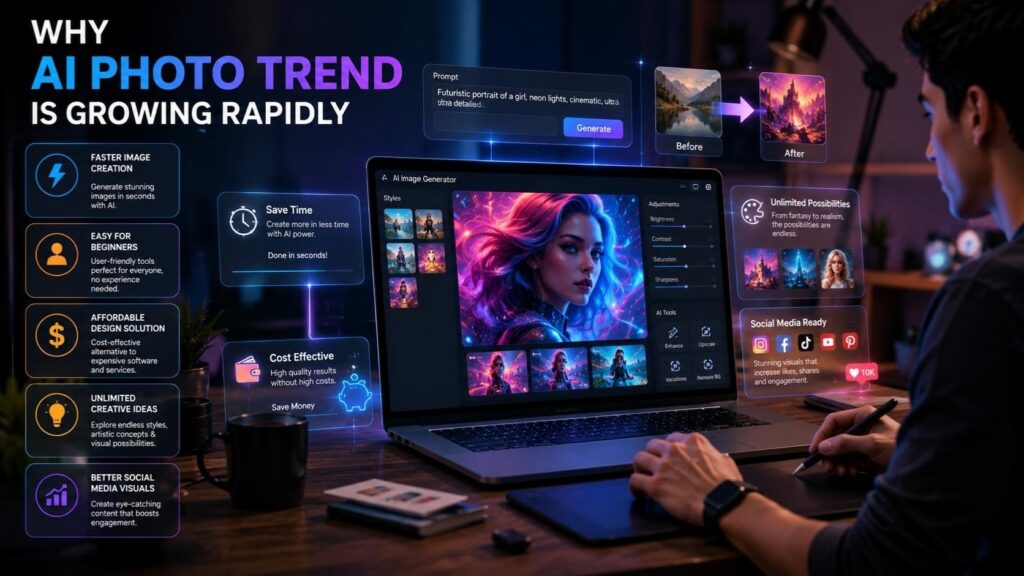
Why AI Photo Trend Is Growing Rapidly
Faster Image Creation
AI image tools are a game changer for anyone looking to create visuals quickly. Instead of spending countless hours on manual design, users can whip up images in just seconds with a few simple prompts and some automated features. This incredible speed allows businesses and content creators to churn out visual content consistently, keeping everything on track without any holdups.
Easy for Beginners
Many AI image platforms come with user-friendly interfaces and tools that are perfect for beginners. You don’t need to be a pro at editing to whip up eye-catching graphics and creative visuals online. Even those just starting out can create stunning, realistic images simply by using straightforward text prompts and built-in AI features.
Affordable Design Solution
Professional editing software and graphic design services can really put a dent in the budget for small businesses and creators. That’s where AI image tools come in handy, offering a wallet-friendly option for those who need to churn out visual content regularly. Plus, many of these platforms come with free features that empower users to whip up high-quality visuals without breaking the bank.
Unlimited Creative Ideas
AI technology empowers users to play around with various styles, colors, lighting effects, and artistic concepts. This kind of flexibility lets creators quickly explore a range of visual ideas, boosting their creativity in the process. With just a few clicks, users can easily whip up modern artwork, fantasy scenes, cinematic portraits, and eye-catching marketing visuals.
Popular Reasons Behind the AI Photo Trend
- Quick image generation
- Easy editing tools
- Realistic AI portraits
- Creative visual styles
- Better social media content
How to Create a Picture Using AI
Choose an AI Image Generator
The first thing you need to do is pick a trustworthy AI image platform. Nowadays, there are plenty of online tools that provide text-to-image generation, artistic filters, photo enhancement, and editing features suitable for both beginners and pros. Opting for a platform that has user-friendly controls and delivers high-quality results can really enhance your overall image creation experience.
Write a Detailed Prompt
When using prompts, it’s important to be descriptive in order to generate images that are of higher quality. Users will want to communicate their style expectations clearly and let the AI system know the colours, lighting, and visual mood they would like the image to convey. By providing detailed prompt descriptions, the user is enabling the AI to create images that reflect their intended idea much more accurately and provide a high-quality image.
Generate the Image
Once you submit your input, the AI process runs; it interprets your request and generates graphics for you, automatically giving you several choices of final graphics. This process is done within minutes, making the creation of images significantly faster than before.
Edit and Customize
After creating the image, users can modify the color, typography, layout, and special effects to achieve the desired personal or professional look. Most AI products also offer higher-level editing options that will enhance sharpness, as well as improve both lighting and the overall quality of the picture.
Simple Ways to Improve AI Pictures
- Use high-quality prompts
- Keep designs clean
- Add balanced lighting
- Improve image resolution
- Avoid excessive filters
How to Get AI Photos Online
Upload Your Own Photo
Many AI platforms allow users to upload personal images and transform them into artistic portraits or creative visuals. This feature is commonly used for profile pictures and social media content. AI systems can automatically improve lighting, remove imperfections, and create unique visual styles.
Use AI Portrait Tools
AI portrait generators can create realistic avatars and professional-looking profile photos automatically. These tools are popular for personal branding, business profiles, and digital marketing content. Many creators also use AI portraits for creative projects and social media branding.
Apply AI Filters
Modern AI editing systems include filters that improve lighting, sharpen image quality, and create unique artistic effects instantly. These filters help users create visually attractive content quickly without manual editing. AI filters are especially useful for improving old or low-quality photos.
Create Different Art Styles
Users can convert normal photos into paintings, anime-style visuals, cinematic portraits, and sketch art using AI-powered creative filters. This helps creators experiment with different design concepts and artistic ideas more easily.
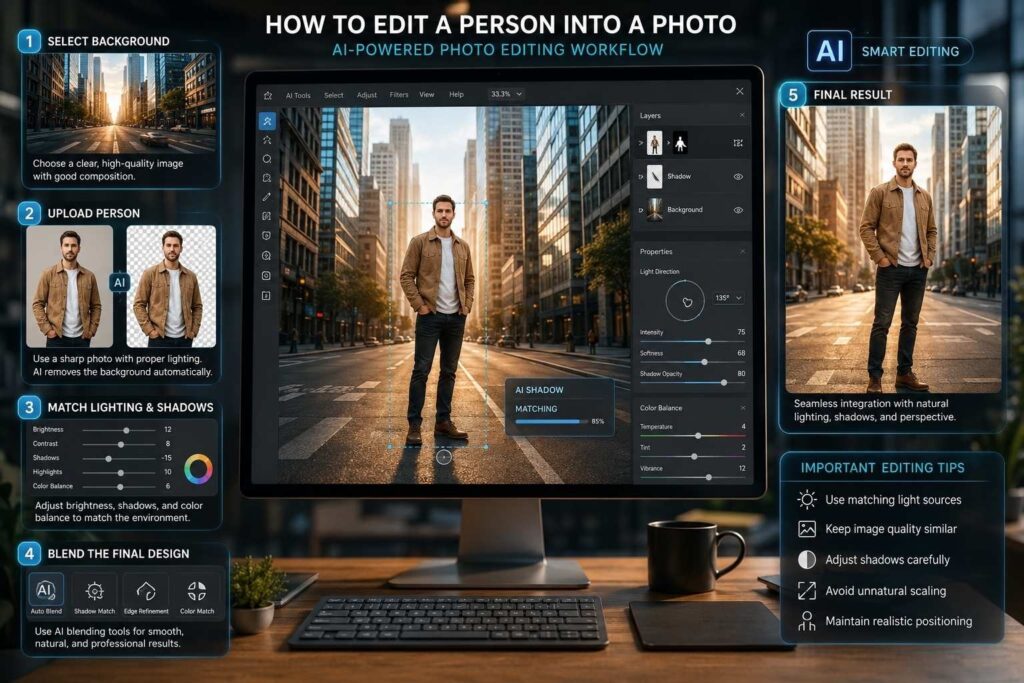
How to Edit a Person Into a Photo
Select a Background Image
Choose a clear and high-quality background image where you want to place the person. Better image quality usually creates more realistic editing results. A clean background also helps AI systems blend subjects more naturally into the image.
Upload the Person’s Photo
Use a sharp image with proper lighting and visible edges. AI tools can automatically remove backgrounds and isolate the subject from the original image. This makes the editing process faster and reduces manual work significantly.
Match Lighting and Shadows
To make the final image look natural, users should adjust brightness, shadows, and color balance according to the background environment. Matching lighting conditions improves realism and helps the edited image look more professional.
Blend the Final Design
AI editing tools often include automatic blending features that help combine images smoothly and professionally. Proper blending reduces harsh edges and creates a cleaner visual appearance for the final result.
Important Editing Tips
- Use matching light sources
- Keep image quality similar
- Adjust shadows carefully
- Avoid unnatural scaling
- Maintain realistic positioning
Benefits of AI Image Creation Tools
Saves Time
AI tools complete complex editing tasks within seconds, helping users create visual content faster than traditional methods. Businesses and creators can generate multiple graphics quickly without spending hours on manual editing work.
Improves Productivity
Businesses and content creators can generate multiple graphics quickly for advertisements, social media, and websites. Faster image creation improves workflow and allows creators to focus more on marketing and creativity.
Beginner-Friendly Experience
Most AI image tools are designed for beginners and include simple editing options with automatic features. Users can create attractive visuals without learning advanced graphic design techniques or professional editing software.
Supports Creative Projects
AI platforms help users explore creative concepts, digital artwork, and visual styles without advanced technical skills. This makes AI tools useful for artists, marketers, students, and content creators.
Popular Uses of AI Image Tools
Social Media Graphics
AI-generated visuals are commonly used for Instagram posts, YouTube thumbnails, Facebook ads, and Pinterest graphics. Attractive visuals help improve audience engagement and increase social media visibility for creators and businesses.
Website and Blog Images
Bloggers and businesses use AI tools to create feature images, banners, and promotional graphics quickly. High-quality visuals also improve website appearance and create a better user experience.
Product Marketing
Businesses create product visuals, online advertisements, and branding graphics using AI image generators. These visuals help brands promote products more effectively and attract customer attention online.
Digital Artwork
Artists and creators use AI systems to generate digital paintings, fantasy concepts, and artistic illustrations. AI technology helps simplify the creative process while offering new artistic possibilities.
Common AI Image Uses
- YouTube thumbnails
- Instagram posts
- Product banners
- Website graphics
- Creative artwork
How to Make an AI Pic Look Professional
Use Better Prompts
Detailed prompts usually create more realistic and visually polished images. Clear instructions improve image accuracy and help AI systems generate better visual results according to user expectations.
Keep the Design Balanced
Using too many filters or effects can make visuals look unnatural. Simple and balanced editing often creates cleaner results that appear more professional and visually attractive.
Improve Resolution
Many AI platforms include image enhancement features that improve sharpness and image clarity automatically. High-resolution visuals always look more professional for websites, advertisements, and social media use.
Maintain Visual Consistency
Using similar colors, fonts, and layouts across graphics helps create a more professional design appearance. Consistent visual branding also improves recognition and audience trust.
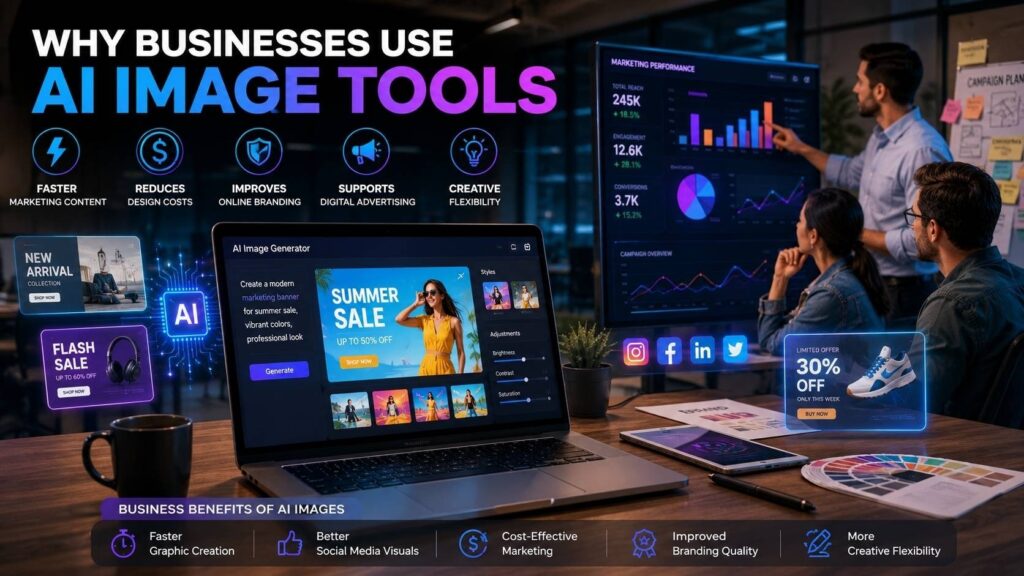
Why Businesses Use AI Image Tools
Faster Marketing Content
Businesses need regular visuals for advertisements, social media posts, and websites. AI tools help companies create content more efficiently and reduce delays in marketing campaigns.
Reduces Design Costs
AI-generated visuals reduce the need for expensive editing software and regular outsourcing. This helps businesses save money while still producing high-quality visual content.
Improves Online Branding
Professional visuals help businesses appear more modern and trustworthy online. Consistent graphics also strengthen branding and improve customer recognition across digital platforms.
Supports Digital Advertising
AI-generated graphics help businesses create attractive marketing campaigns for product launches and promotional offers. Better visuals often improve engagement and advertising performance.
Business Benefits of AI Images
- Faster graphic creation
- Better social media visuals
- Cost-effective marketing
- Improved branding quality
- More creative flexibility
Final Thoughts
The speed of artificial intelligence (AI) has changed how quickly and easily anyone can create images. From producing artistic graphics and editing photos to making marketing images and generating social media posts, there are many AI tools that offer a simple way for both new and experienced designers to make images.
With the rapid growth of AI photo technology, it’s clear that digital creativity has grown tremendously. You don’t need to have advanced knowledge of photo editing in order to produce professional-looking images anymore. Anyone can create impressive images online in just minutes using the proper tools and their imagination.
As AI technologies continue to advance, photo creation tools will likely continue to advance as well, leading to greater efficiency for both those creating visual content and businesses that rely on visual content for their advertising efforts.
Frequently Asked Questions
Yes, AI image generators can create visuals using text prompts, uploaded photos, or editing instructions. These tools help users generate realistic and creative visuals within seconds.
Users can upload photos to AI platforms or use AI portrait generators to create creative and professional visuals. Many AI tools also provide filters and artistic editing options.
Most AI tools require a text description or reference image. The system then generates visuals automatically based on those instructions and editing preferences.
AI editing tools can remove backgrounds, isolate subjects, and blend people into different images realistically. Many platforms also provide automatic lighting and blending adjustments.
Yes, businesses use AI-generated visuals for advertisements, websites, social media graphics, and online branding. AI tools help companies create visual content faster and more efficiently.
TAGS
