

Creating a beautiful image is only the beginning of the visual content journey. In today’s digital environment, a single photograph often needs to be used across websites, social media platforms, online stores, email campaigns, advertisements, and mobile applications.
The challenge is that every platform displays images differently, which means a photo that looks perfect in one place may appear cropped, blurry, stretched, or poorly optimized somewhere else.This is why businesses, photographers, marketers, and content creators need to understand how to adapt images correctly. Image adaptation is not simply about changing dimensions. It involves preparing visuals so they maintain quality, clarity, and impact regardless of where they are displayed. A properly adapted image helps improve user experience, strengthen branding, and increase engagement across digital channels.
As online competition continues to grow, visual presentation has become more important than ever. Companies that invest time in adapting pictures for different platforms often create a stronger impression and achieve better results than those using the same image everywhere without optimization. This is one reason why image optimization and adaptation have become essential parts of modern digital marketing strategies. You can also explore related visual enhancement techniques on the Face Editor guide available at Saivion India Face Editor Blog.
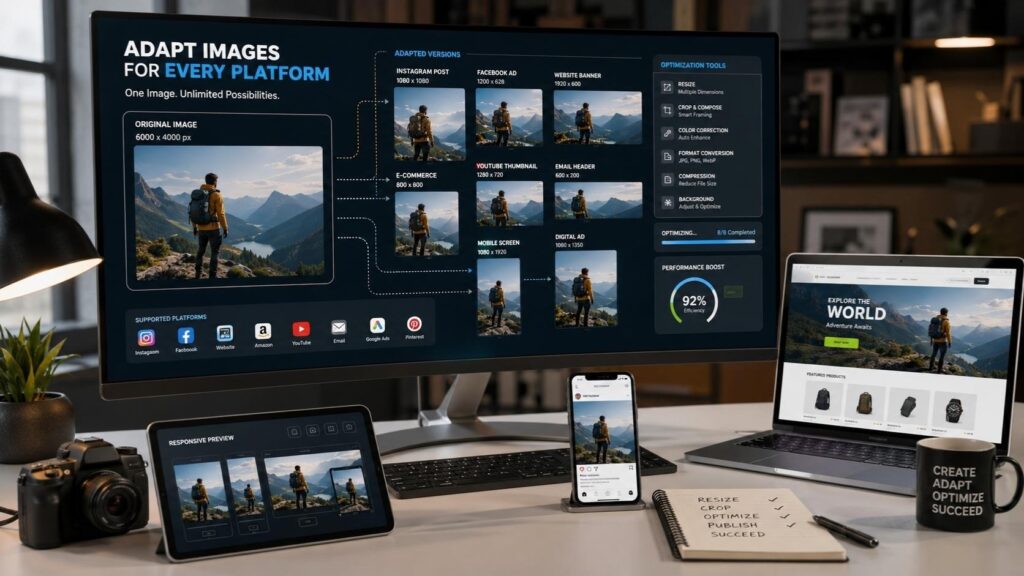
What Does It Mean to Adapt Images?
To adapt images means modifying photographs so they perform effectively across different platforms, devices, and purposes while maintaining visual quality. This process can involve resizing, cropping, optimizing file sizes, adjusting colors, changing formats, or reorganizing compositions to fit specific layouts.
Every digital platform has unique requirements. Social media networks use different dimensions than websites, while eCommerce marketplaces often have strict image guidelines. Without adaptation, photographs may lose quality or fail to display properly. Adapting images ensures that visuals remain professional and attractive regardless of where they appear.
Why Image Adaptation Is Important
Many businesses spend significant resources creating high-quality photography but overlook the importance of image optimization. Even the best photo can lose its effectiveness if it loads slowly, displays incorrectly, or appears distorted on certain devices.
Proper image adaptation helps maintain visual consistency while improving overall performance. It ensures that users see images the way they were intended to be viewed, creating a better experience and stronger engagement.
The Difference Between Editing and Adapting
Although many people use the terms interchangeably, image editing and image adaptation serve different purposes. Editing focuses on improving the appearance of a photo through enhancements such as color correction, retouching, lighting adjustments, and background cleanup.
Image adaptation focuses on preparing a photo for a specific platform or purpose. The image may already look great, but it still needs to be optimized so it functions effectively wherever it will be displayed. Combining editing and adaptation creates the best possible results.
Why Businesses Need to Adapt Pictures
Visual content plays a major role in how customers perceive a business. Whether someone visits a website, browses an online store, or scrolls through social media, images are often the first thing they notice. Poorly adapted visuals can create a negative impression even if the products or services themselves are excellent.
Businesses that adapt pictures correctly create a more professional appearance across all customer touchpoints. Consistent image quality helps build trust and strengthens brand identity, which can influence purchasing decisions and long-term customer relationships.
Creating a Strong Brand Identity
Consistency is one of the most important aspects of branding. Customers should recognize your visual style regardless of whether they encounter your content on a website, Instagram page, email newsletter, or online advertisement.
When images are properly adapted while maintaining consistent colors, compositions, and quality standards, businesses create a more recognizable and trustworthy brand presence. This visual consistency helps reinforce credibility and professionalism.
Improving User Experience
User experience is heavily influenced by image quality and website performance. Large, unoptimized files can slow loading speeds and frustrate visitors, especially on mobile devices.
Adapting images helps reduce file sizes without sacrificing visual quality. Faster-loading visuals create a smoother browsing experience and encourage users to spend more time engaging with content.
Supporting Marketing Campaigns
Different marketing campaigns often require different image formats and dimensions. A Facebook advertisement may need one layout, while an email banner requires another.
Adapting pictures for each platform ensures that marketing materials appear professional and communicate messages effectively. This helps maximize engagement and improve campaign performance.
Common Situations Where You Need to Adapt Images
Image adaptation becomes necessary in many different situations. Understanding these use cases helps businesses and creators prepare visual content more effectively.
Social Media Platforms
Each social media platform has unique image requirements. Instagram favors square and vertical formats, while Facebook, LinkedIn, Pinterest, and X all use different dimensions.
Uploading the same image everywhere without adjustments can lead to awkward cropping or reduced visual impact. Adapting images for each platform ensures that important content remains visible and visually appealing.
Website Design
Websites use images in multiple ways, including banners, blog posts, landing pages, product galleries, and portfolio sections. Each placement requires different dimensions and optimization techniques.
Proper adaptation ensures that images look professional while contributing to fast page-loading speeds and improved user experience.
eCommerce Product Listings
Online shoppers rely heavily on product images because they cannot physically inspect products before purchasing. Clear, optimized photographs help customers understand product details and build confidence in purchasing decisions.
Adapting product images for marketplaces and online stores improves presentation and helps create a more professional shopping experience. High-quality visual presentation is a major factor in online selling success.
Digital Advertising
Advertising platforms often require specific image dimensions and file sizes. Poorly optimized visuals may be rejected or perform poorly in campaigns.
Adapting images correctly helps ensure advertisements display properly and attract attention from target audiences.
How to Adapt Images Without Losing Quality
One of the biggest concerns when adapting images is maintaining quality. Poor resizing techniques and excessive compression can make photographs appear blurry or pixelated.
Fortunately, several best practices can help preserve image quality during the adaptation process.
Start With High-Resolution Images
High-resolution images provide greater flexibility when creating different versions for various platforms. Starting with a quality source file reduces the risk of noticeable quality loss during resizing and optimization.
Low-resolution photos offer limited editing options and often become blurry when enlarged or repurposed.
Use the Correct Dimensions
Different platforms recommend specific image dimensions for optimal display. Using the correct dimensions helps prevent stretching, cropping, and distortion.
Researching platform requirements before uploading content helps ensure images appear exactly as intended.
Optimize File Sizes Carefully
Large image files can negatively impact loading speeds, while excessive compression may reduce visual quality. Finding the right balance is essential.
Modern optimization tools allow users to reduce file sizes while preserving sharpness, clarity, and color accuracy.
Choose the Right File Format
Different image formats are designed for different purposes. JPEG works well for photographs, PNG supports transparency, and WebP offers excellent quality with smaller file sizes.
Selecting the appropriate format helps improve performance without compromising image quality.
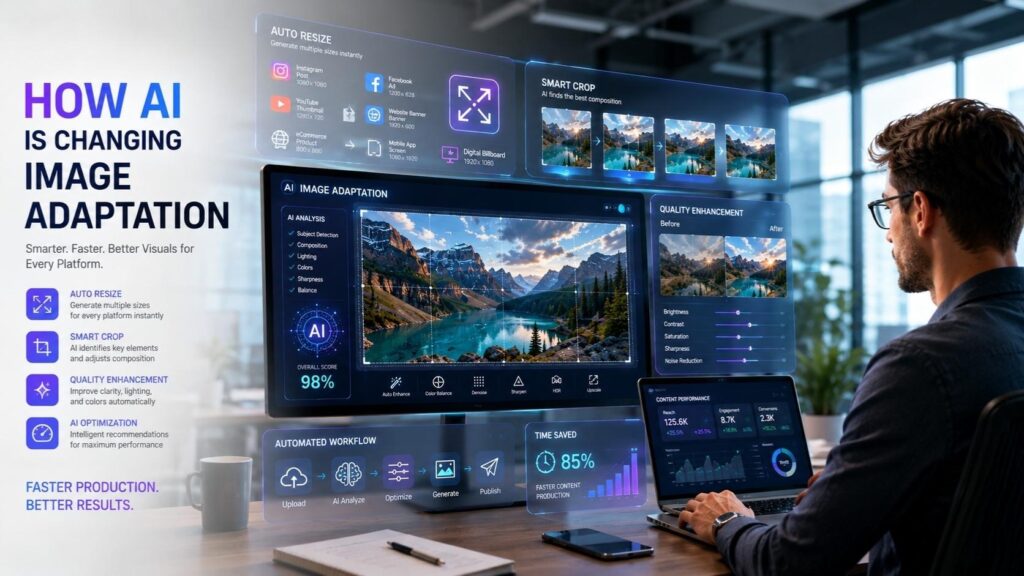
How AI Is Changing Image Adaptation
Artificial intelligence is transforming the way people adapt images. Tasks that once required manual work can now be automated through intelligent software.
AI-powered tools analyze photographs and automatically recommend adjustments based on platform requirements and visual best practices.
Automatic Resizing and Cropping
AI can generate multiple image versions optimized for different platforms in seconds. This significantly reduces the amount of manual work required for content creation.
Smart cropping tools can also identify the most important elements within a photo and adjust compositions automatically.
Intelligent Quality Enhancement
Artificial intelligence can improve sharpness, lighting, contrast, and color balance while adapting images for different uses.
This helps maintain professional-quality results even when creating multiple versions of the same photograph.
Faster Content Production
Businesses and marketers often need large quantities of visual content. AI-powered adaptation tools speed up production workflows and allow teams to create optimized visuals more efficiently.
As technology continues to improve, AI will play an even larger role in image optimization and content management.
Common Mistakes to Avoid When Adapting Pictures
Even experienced creators sometimes make mistakes that reduce image quality and effectiveness.
Using One Image Everywhere
Different platforms have different requirements, and using the same version of an image across every channel often produces poor results. What works on Instagram may not work on a website banner or email campaign.
Creating platform-specific versions helps maintain quality and improve performance.
Ignoring Mobile Optimization
Most online traffic now comes from smartphones and tablets. Images that look great on desktop screens may appear poorly cropped or difficult to view on smaller devices.
Testing visuals across multiple screen sizes helps ensure a consistent user experience.
Over-Compressing Images
Compression is useful for reducing file size, but excessive compression can introduce visible artifacts and reduce image quality.
Maintaining a balance between performance and visual clarity is essential.
Forgetting to Save Original Files
Many people overwrite original images after making adaptations. This limits future flexibility and may require starting over if new formats are needed.
Keeping original files allows users to create additional versions without quality loss.
Benefits of Learning to Adapt Images
The ability to adapt images effectively provides advantages for businesses, marketers, photographers, and content creators.
Better User Experience
Optimized visuals load faster and display correctly across different devices. This creates a smoother experience for visitors and encourages longer engagement with content.
Stronger Brand Consistency
Consistent image quality helps reinforce brand identity across websites, advertisements, and social media channels. Customers are more likely to trust businesses that maintain professional visual standards.
Improved SEO Performance
Search engines favor websites that provide fast-loading, optimized content. Properly adapted images contribute to better page performance and improved user experience, both of which can support search visibility.
Increased Engagement
Visually appealing content naturally attracts more attention. Well-adapted images often generate higher click-through rates, social shares, comments, and customer interactions.
Conclusion
In today’s busy world, being able to adapt your images has become essential in the digital landscape. Our increasing reliance on various forms of visuals from websites, social media, eCommerce sites, and marketing campaigns has forced both businesses and content creators to make sure their images are optimized for what they were intended for.
By properly adapting images, you trickle down the aspects of maintaining quality, improving process, enhancing brand identity, and creating superior user experiences. The ability to successfully adapt images will greatly improve your digital presence, whether it is by resizing images for social media, optimizing product images for eCommerce sites or creating visuals for ad campaigns.
With the continued evolution of technology and artificial intelligence-driven tools, it will be increasingly efficient and easier to adapt images than ever before. By utilizing high-quality image optimization methods now, businesses will be poised to capture attention, engage their audiences, and prosper long-term online.
Frequently Asked Questions
Adapting images means modifying photos so they perform effectively across different platforms, devices, and purposes while maintaining visual quality and usability.
Image adaptation improves visual presentation, user experience, website performance, and brand consistency. It helps ensure that images look professional regardless of where they are displayed.
Yes. Modern AI tools can resize, crop, optimize, and enhance images automatically based on platform requirements and image content.
WebP is often recommended because it provides excellent quality with smaller file sizes. JPEG and PNG are also widely used, depending on the type of image.
Yes. Optimized images improve page speed and user experience, which can positively influence search engine performance.
TAGS
