

Pictures influence first impressions made through visuals. Regardless of whether you sell something, create advertisements, make posts on social networks, design presentations, or edit pictures for any other purpose, using clear images without distracting backgrounds is important.
An automatic background remover helps you achieve high-quality results in seconds.Often, people ask questions such as how to remove the background of an image or how to remove the white background from an image. In previous years, removing backgrounds was only possible using complicated programs and many efforts. But today, thanks to artificial intelligence, analyzing and separating pictures into a subject and its background has become an easy task.
Here we will provide a detailed description of how artificial intelligence background removers function, their importance, and some essential features such as BG PNG, cut around image, cross remove background, and delete wallpaper.
What Is an AI Background Remover?
An AI background remover is an image editing tool that makes use of machine learning techniques and artificial intelligence. It uses advanced algorithms to identify and remove backgrounds automatically without the need for manual selection.
This technology is trained to recognize humans, products, animals, cars, logos, and much more. Through shape recognition, edge detection, and color differences, it is able to remove the background seamlessly.
The most significant benefit of AI background removal tools is their ease of use. Users who do not have any graphic design skills can still use them to get professional-quality images with ease.
Why AI Background Removal Has Become Essential
Saves Time
AI completes background removal in seconds, making it much faster than traditional editing methods. This is especially valuable for businesses that process large numbers of images every day.
Improves Consistency
When multiple images need the same style, AI delivers uniform results across an entire collection. Consistency is important for branding, online stores, and marketing campaigns.
Reduces Manual Work
Instead of tracing objects by hand, AI automatically identifies the subject and refines the edges. This allows creators to spend more time on design and less time on repetitive editing.
Produces Professional Results
Modern AI models preserve details such as hair, clothing edges, and curved objects, resulting in natural-looking images suitable for commercial use.
How Can I Remove the Background of a Picture?
When you’ve been asking yourself how to get rid of the background from my picture, you should know that the task has become extremely easy. Just take your picture to an AI photo editor, let it recognize the object, check the cutout, and then download it.
This method applies not only to portraits but also to any images, such as products, logos, marketing images, and many others.
Understanding BG PNG Files
A BG PNG refers to PNG images that have a transparent background rather than a colored one. Since PNG has the ability to support transparency, this format of PNG file is suitable for web, presentation, or product catalog use, where it should be embedded seamlessly with any layout.
PNG files with a transparent background remove visible boundaries.
How Do I Remove the White Background from an Image?
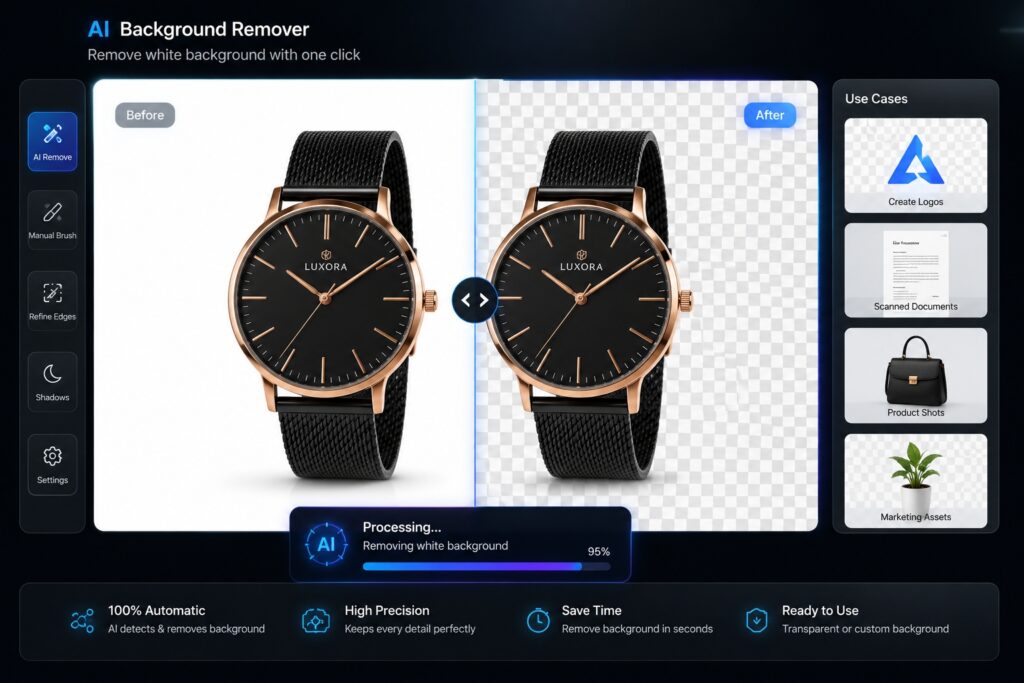
Among the most frequently made requests in editing software are “How to make a transparent background on the image?” The algorithm will recognize what you need to preserve in the picture and eliminate white pixels, making them invisible.
It is convenient for creating a logo, images from scans, product shots, and anything else that requires flexibility in usage.
How Do I Get Rid of White Background on Pictures?
In addition to that, most people ask how I can remove the white background from pictures that would later be used in presentations or online shops. In order to solve this issue, all that one needs to do is save the edited picture in transparent PNG format.
Cut Around Image with AI Precision
Manually cutting an object from an image takes time and skill. However, AI makes this process easier because it automatically detects the outline and draws perfect edges of any object within an image. This function is especially useful for portraits, clothes, furniture, or products.
Cross Remove Background for Complex Scenes
For photographs that have multiple objects or complicated backgrounds, the application of the cross remove background technique allows for better segmentation of the desired object.
AI algorithms can perform well even with complex images compared to most standard editing techniques.
Delete Wallpaper and Replace Distracting Backgrounds
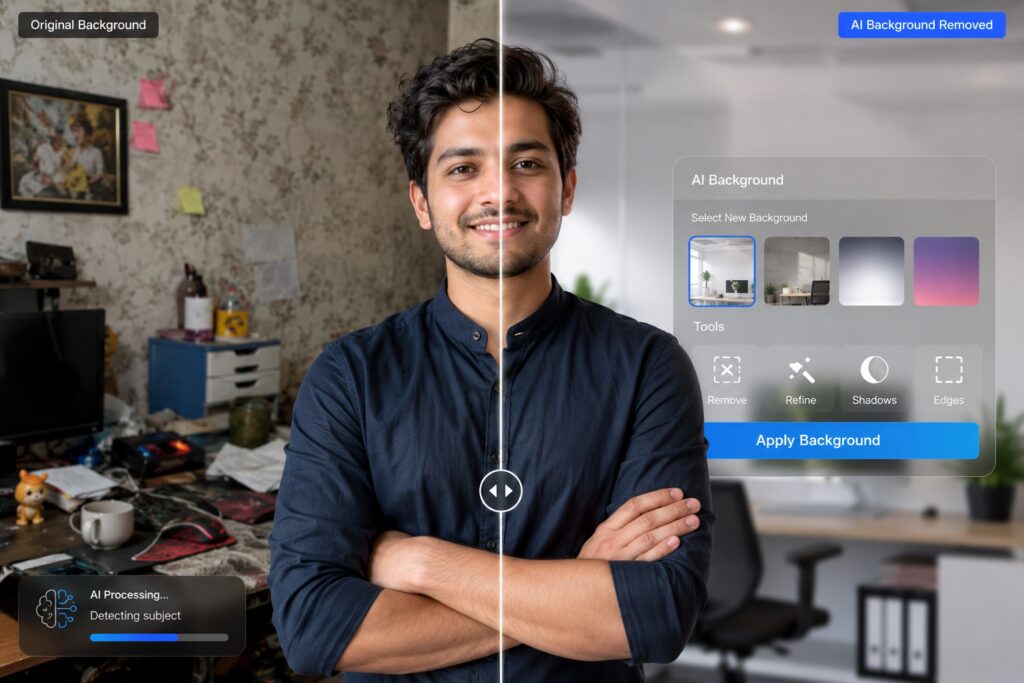
In some cases, the aim is not only to achieve transparency but also to clean up the wallpaper or mess behind the subject. AI background removal helps to get rid of unwanted surroundings and add solid colors, gradients, branded visuals, or entirely different backgrounds.
This functionality finds its practical application in profile photos, business portraits, product presentations, and promotional materials.
Benefits for E-commerce Businesses
Online shoppers often make purchasing decisions based on product images. Clean backgrounds help emphasize the product and create a more professional storefront.
AI background removal enables sellers to:
- Produce consistent listing images.
- Remove distracting elements.
- Create transparent product assets.
- Improve visual branding.
- Speed up catalog preparation.
Benefits for Content Creators
Influencers, bloggers, educators, and marketers regularly use AI background removal to create engaging visuals. Transparent images can be layered into thumbnails, infographics, advertisements, and social media posts with minimal effort.
Best Practices for High-Quality Results
For optimal performance:
- Use high-resolution source images.
- Ensure the subject is well-lit.
- Avoid excessive blur.
- Leave sufficient contrast between the subject and background.
- Export transparent graphics in PNG format.
- Inspect edges before publishing.
Common Challenges
Although AI performs exceptionally well in many scenarios, difficult cases include:
- Transparent objects.
- Fine hair or fur.
- Motion blur.
- Heavy reflections.
- Very low-resolution photos.
- Subjects that closely match the background color.
Providing clearer source images generally leads to better results.
Conclusion
An AI background remover tool revolutionized image editing by giving everyone access to high-quality background removal services. If you are wondering how can I remove the background of a picture, creating transparent BG PNG, learning how to cut around image subjects, implementing cross remove background technique, deleting wallpaper, how do I remove white background from a picture, and how do I remove white background from an image, there is no need to look any further since this process is now much faster and easier with AI tools.
A pillar page should contain links to other pages on your site that relate to different issues, such as removing white backgrounds, creating transparent PNG files, advanced object selection in images, AI photo editing processes, and optimizing eCommerce image management, among others.
Frequently Asked Questions
It is software that uses artificial intelligence to automatically separate the main subject from its background.
Upload the image to an AI editor, allow automatic detection, review the result, and download the processed file.
A BG PNG is an image file with a transparent background that can be placed on different designs without visible borders.
It describes advanced background removal methods that improve subject isolation in complex scenes.
Yes. AI can detect and remove wallpaper or other unwanted backgrounds, allowing users to replace them with transparency or custom designs.
TAGS
