

Creating stunning photo edits starts with choosing the right image. No matter how advanced your Photoshop skills are, poor-quality pictures can limit your creativity and reduce the final result. That is why many creators, photographers, designers, and beginners search daily for free Photoshop images that are easy to edit and look professional.
From portrait retouching to product editing and social media design, high-quality images help users practice and improve their editing workflow. Whether you are learning basic tools or advanced manipulation techniques, having access to images for editing in Photoshop makes the entire process smoother and more creative. Today, Photoshop is used in almost every industry, including fashion, eCommerce, digital marketing, photography, advertising, and content creation. Professional visuals attract attention faster, increase engagement, and create a stronger online presence. This is why many users also search for Photoshop pics for free to improve their editing projects without spending money on premium stock photos.
If you want to sharpen your editing skills, create eye-catching visuals, or build a professional portfolio, this guide will help you understand how to use free Photoshop images effectively.
You can also learn more about editing tools and modern workflows here: Photo Editing Software Guide
Why High-Quality Photoshop Images Matter
Good editing always starts with a good photo. High-resolution images contain better details, cleaner textures, and improved lighting information. This gives editors more flexibility while retouching or adjusting colors.
Using free Photoshop images allows users to:
- Practice editing techniques regularly
- Improve retouching quality
- Learn color grading
- Build design confidence
- Create professional portfolio samples
- Improve social media visuals
- Experiment with creative effects
- Learn advanced Photoshop tools
Beginners especially benefit from Photoshop pics for free because they can practice without worrying about licensing costs or subscriptions.
Different Types of Images for Editing in Photoshop
Every editing project requires a different type of image. Understanding image categories helps users choose better photos for editing practice.
Portrait Photos
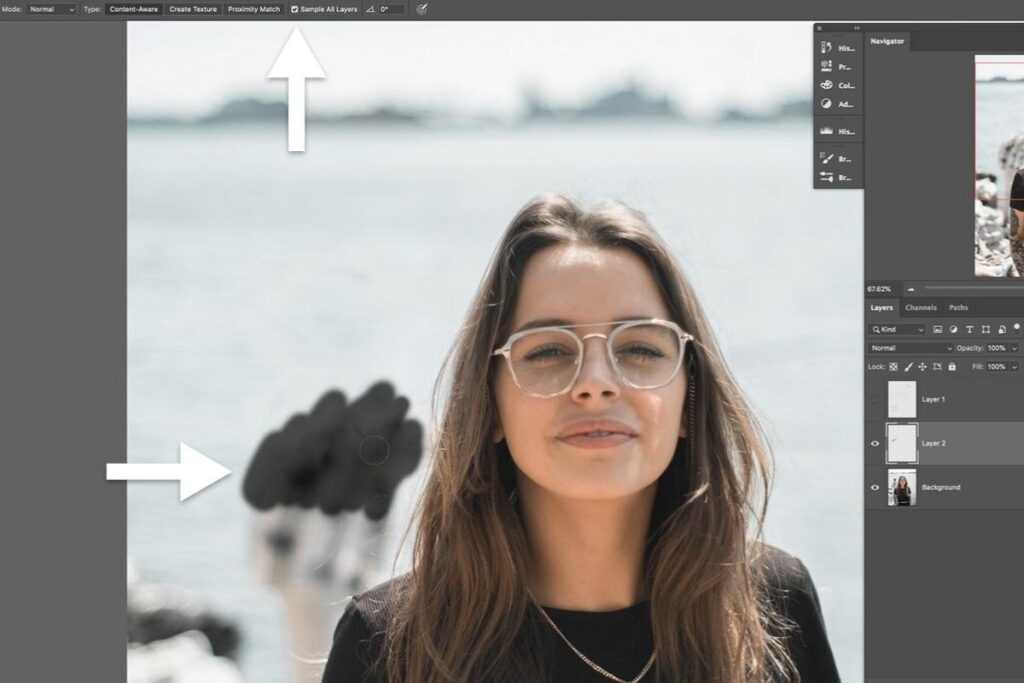
Portrait images are perfect for learning retouching and facial enhancement techniques. Editors can practice:
- Skin smoothing
- Blemish removal
- Eye sharpening
- Hair retouching
- Makeup correction
- Light balancing
Portrait editing is one of the most valuable Photoshop skills because it teaches detailed editing and precision.
Product Photography Images
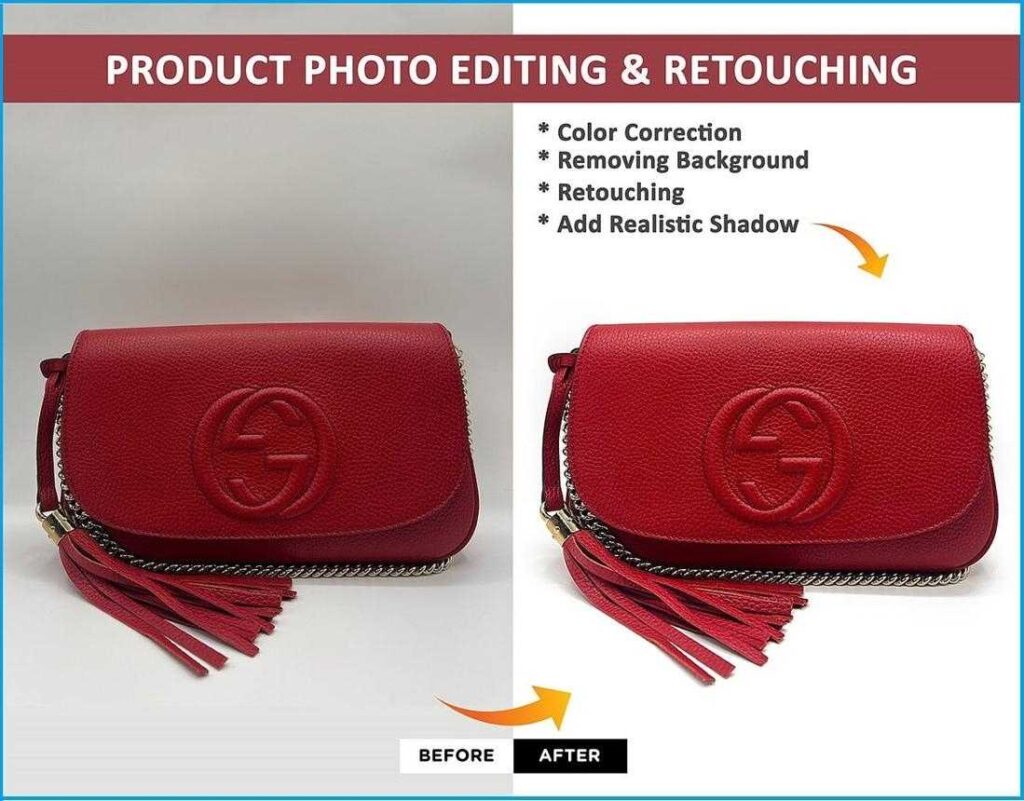
Product editing is extremely popular in eCommerce businesses. Online stores require clean and attractive product photos to improve customer trust and conversions.
Photoshop editors use product images for:
- Background removal
- Shadow creation
- Color enhancement
- Reflection effects
- Dust cleanup
- White background editing
Professional product images help businesses stand out on platforms like Amazon and Shopify.
Fashion and Lifestyle Images
Fashion editing is widely used in magazines, advertisements, and social media campaigns. These images help users practice advanced editing techniques while maintaining a realistic look.
Editors commonly adjust:
- Skin texture
- Clothing colors
- Lighting quality
- Background cleanup
- Overall image sharpness
Fashion images are excellent for professional portfolio building.
What Makes an Image Good for Photoshop Editing
Not every image produces good editing results. Some photos contain low-quality details, poor lighting, or heavy compression that limit editing flexibility.
Here are the most important features of professional image editing.
High Resolution
Large images provide better clarity and more editing flexibility.
Balanced Exposure
Proper lighting helps recover details in highlights and shadows.
Sharp Focus
Clear and focused images improve retouching quality.
RAW Image Support
RAW files preserve more color and lighting information than standard JPG images.
Minimal Noise
Low-noise images create cleaner and more professional edits.
Popular Photoshop Editing Techniques
Once you download free Photoshop images, you can start practicing different editing styles and techniques.
Background Removal
Background removal is one of the most commonly used Photoshop techniques. It is widely used in:
- Product photography
- Advertising
- Graphic design
- Social media content
Professional cutouts improve the overall visual appearance of images.
Color Correction
Color correction improves the balance and mood of an image.
Editors adjust:
- Contrast
- Saturation
- White balance
- Brightness
- Highlights
- Shadow details
Good color grading creates realistic and visually attractive results.
Skin Retouching
Portrait retouching is one of the most popular Photoshop services today.
Professional skin retouching includes:
- Acne removal
- Smooth skin correction
- Eye enhancement
- Lip color improvement
- Facial cleanup
Natural retouching always looks more professional than over-edited skin.
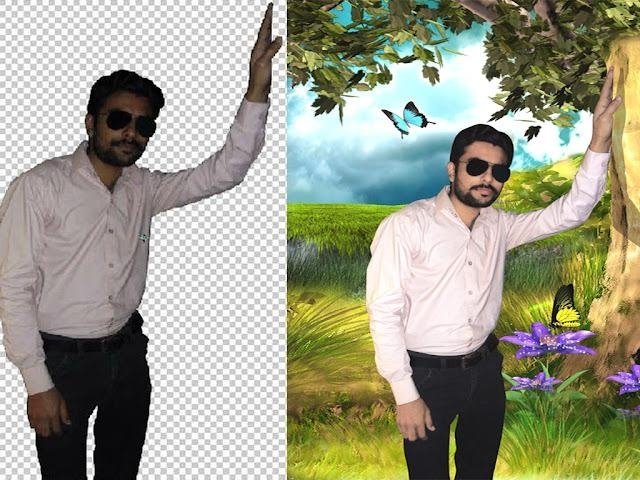
Photo Manipulation
Photo manipulation combines creativity and technical editing skills. Designers use this technique to create:
- Fantasy scenes
- Advertising visuals
- Movie-style posters
- Creative digital artwork
Advanced manipulation projects often use multiple free Photoshop images combined together.
Advantages of Using Photoshop Pics for Free
Using photoshop pics for free gives creators multiple benefits, especially during the learning process.
Affordable Learning
Beginners can improve their skills without paying for expensive stock photos.
Better Practice Opportunities
Different image styles help users understand multiple editing techniques.
Faster Skill Development
Regular editing practice improves confidence and workflow speed.
Portfolio Creation
Users can build editing portfolios for freelance or professional opportunities.
Creative Freedom
Free images allow unlimited experimentation with effects and designs.
Common Photoshop Mistakes Beginners Should Avoid
Many new editors make mistakes that reduce image quality. Avoiding these issues helps create more professional edits.
Over-smoothing Skin
Excessive retouching removes natural texture and realism.
Oversaturated Colors
Very bright colors can make images look unnatural.
Poor Cutout Edges
Messy selections reduce editing quality.
Excessive Filters
Too many filters can destroy image details.
Exporting Low-Quality Files
Improper export settings reduce final image sharpness.
Professional Photoshop editing should enhance the image naturally instead of making it look fake.
Industries That Depend on Photoshop Editing
Photoshop plays an important role in many industries today.
eCommerce Businesses
Online stores require attractive product photos to improve sales.
Photography Industry
Photographers use Photoshop for portrait, wedding, and event editing.
Fashion Brands
Fashion companies edit campaign images for advertisements and magazines.
Real Estate Marketing
Property photos are enhanced to look brighter and more attractive.
Social Media Marketing
Content creators use Photoshop to create engaging posts and promotional graphics.
Essential Photoshop Tools Every Beginner Should Learn
Learning the right Photoshop tools is important for improving editing quality and workflow speed. These basic tools help beginners perform professional edits more accurately and efficiently.
Healing Brush Tool
The Healing Brush Tool is commonly used for removing acne, dust spots, wrinkles, and small imperfections from images. It blends the corrected area naturally with nearby textures, making edits look smooth and realistic.
Clone Stamp Tool
The Clone Stamp Tool copies texture and detail from one area of an image to another. It is useful for removing unwanted objects, fixing damaged areas, and cleaning distracting elements from photos.
Pen Tool
The Pen Tool helps create clean and accurate selections around subjects and objects. Professional editors often use this tool for background removal, product cutouts, and precise image masking.
Layer Masks
Layer Masks allow non-destructive editing, which means you can hide or reveal parts of an image without permanently deleting anything. This makes editing more flexible and professional.
Adjustment Layers
Adjustment Layers are used for editing brightness, contrast, color balance, saturation, and exposure without affecting the original image. They help maintain better image quality during editing.
Select Subject Tool
The Select Subject Tool automatically detects the main object in a photo and creates quick selections. It saves time and helps beginners perform background removal and cutouts more quickly.
Mastering these Photoshop tools creates a strong editing foundation and helps beginners move toward advanced professional editing techniques.
Best File Formats for Photoshop Editing
Choosing the right file format helps preserve editing quality.
| File Format | Best Use |
| PSD | Editable Photoshop project |
| RAW | Professional retouching |
| PNG | Transparent images |
| JPG | Web and social media |
| TIFF | High-quality printing |
Professional editors usually work with RAW and PSD files for maximum flexibility.
Tips to Improve Photoshop Editing Skills
If you want to become a better Photoshop editor, regular practice and learning are very important. Small improvements every day can help you create more professional and creative edits over time.
Practice Daily
Editing regularly helps you understand Photoshop tools faster and improves your workflow. Daily practice also increases creativity and helps you experiment with new editing styles confidently.
Study Professional Edits
Observe how professional editors use lighting, shadows, colors, and composition in their work. Analyzing high-quality edits can help you learn modern editing techniques and improve your visual understanding.
Use Non-Destructive Editing
Always use adjustment layers, smart objects, and layer masks while editing images. This keeps your original image safe and allows you to make changes later without losing quality.
Focus on Realism
Professional Photoshop edits usually look clean and natural instead of overly filtered. Try to maintain realistic skin texture, balanced colors, and natural lighting in your edits.
Learn Keyboard Shortcuts
Keyboard shortcuts help speed up your editing process and improve efficiency. Learning common shortcuts can save time and make your Photoshop workflow smoother and more professional.
The Future of Photoshop Editing
Photoshop continues evolving with modern AI-powered tools and smart automation features.
Today’s editing technology includes:
- AI background removal
- Automatic object selection
- Neural filters
- AI skin retouching
- Smart color correction
- Generative fill tools
These features help editors complete projects faster while maintaining professional quality.
Even with AI advancements, creativity and artistic vision remain essential parts of professional editing.
Why Professional Images Matter for SEO
Visual content has become one of the most important parts of online marketing. High-quality images improve:
- User engagement
- Website appearance
- Social sharing
- Click-through rates
- Brand trust
Search engines also favor visually optimized content because users spend more time on pages with attractive images.
That is why businesses and creators invest heavily in professional Photoshop editing.
Final Thoughts
Using free Photoshop images is one of the best ways to learn editing, improve creativity, and build professional design skills. Whether you are practicing portrait retouching, product editing, color grading, or photo manipulation, quality images help produce better results. With access to images for editing in Photoshop, beginners and professionals can experiment freely, improve workflow efficiency, and create visually stunning projects.
If you want to grow your Photoshop skills, start practicing consistently with Photoshop pics for free and focus on creating clean, natural, and professional-looking edits. Over time, your creativity and editing confidence will improve significantly.
TAGS
