

Due to the rise of smartphone use, Android phone photography has skyrocketed. Many people use their Android camera for taking selfies, documenting memories while on vacation, taking pictures of food, etc.
However, capturing a good photo is just part of it; editing images allows you to enhance a photo’s appearance and gives it a more professional look than if you didn’t edit your photos before displaying them.
For this reason, many beginners search for how to edit photos on an Android device, as editing on mobile devices is not only quick but also easy to learn and intuitive for beginners. While people are searching for the most natural way to edit photos on their cell phones, they want to make sure that their photos still look like real life rather than heavily filtered or fake-looking.
When using the right techniques for editing photos, as well as using the appropriate photography editing tools, and performing professional editing to photographs with the proper methods, you can easily create your own great quality photos using an Android smartphone.
Why Photo Editing Is Important
All smartphones are equipped with amazing high-quality camera features and provide the ability to take pictures like a professional. However, there may be several times that the image you take happens to be too dark, dull, out of focus, or not properly balanced. By using various editing techniques, the overall appearance of an image can be enhanced.
Editing professional photographs can help to brighten images, clarify images, and correct color naturally. They can also improve composition and make an image more appealing for social and personal use.
By learning how to edit photographs using Android devices, photographers and other types of digital creators, as well as brands/businesses, can create better visual content across all digital platforms.
How to Edit Pictures on Phone Step by Step
Following a proper editing process helps create cleaner and more professional-looking images.
Crop and Straighten the Image
When editing photos on your phone, the first thing you should do is change the composition of the photo by cropping out any unnecessary elements from the photo, which will help improve the overall look of the photo.
Then you can straighten out any off-kilter photos so that they appear level and centered.
Doing these two steps first will always help provide a good base for editing your photos.
By setting up your composition correctly first will help create a more visually pleasing photo to start out with.
Adjust Brightness and Exposure
Exposure controls how bright or dark a photo appears.
- Increase brightness for dark photos
- Lower exposure for overly bright images
- Balanced lighting improves image quality
This is one of the most important steps when learning how to edit photos on android professionally.
Professional photography edits focus heavily on balanced lighting because exposure affects every detail of an image.
Improve Contrast
Contrast also determines the difference in brightness between dark and light elements of a photo. If an image has low contrast, it typically appears flat; however, if there is too much contrast, it removes portions of detail in your photo. Balanced adjustments to contrast (both in professional photography editing and natural photography) create depth, but keep the appearance of the photo real.
Correct White Balance
White balance controls the color temperature of an image.
- Warm tones create soft and cozy visuals
- Cool tones create modern and clean aesthetics
Many beginners learning how to edit pictures on the phone ignore white balance adjustments, but this small change can completely improve the mood of a photo.
Professional photography edits often use white balance correction to create more natural colors.
Sharpen Important Details
Sharpening can assist in improving the clarity and texture of an image. Still, too much sharpening may cause grainy pictures or “rough edges,” both of which will negatively impact your image quality. The best approach to editing photos is to carefully sharpen the photograph and retain realistic textures and details. Balanced photo edits will focus on the enhancement of clarity while ensuring that the image is not overly edited or processed.
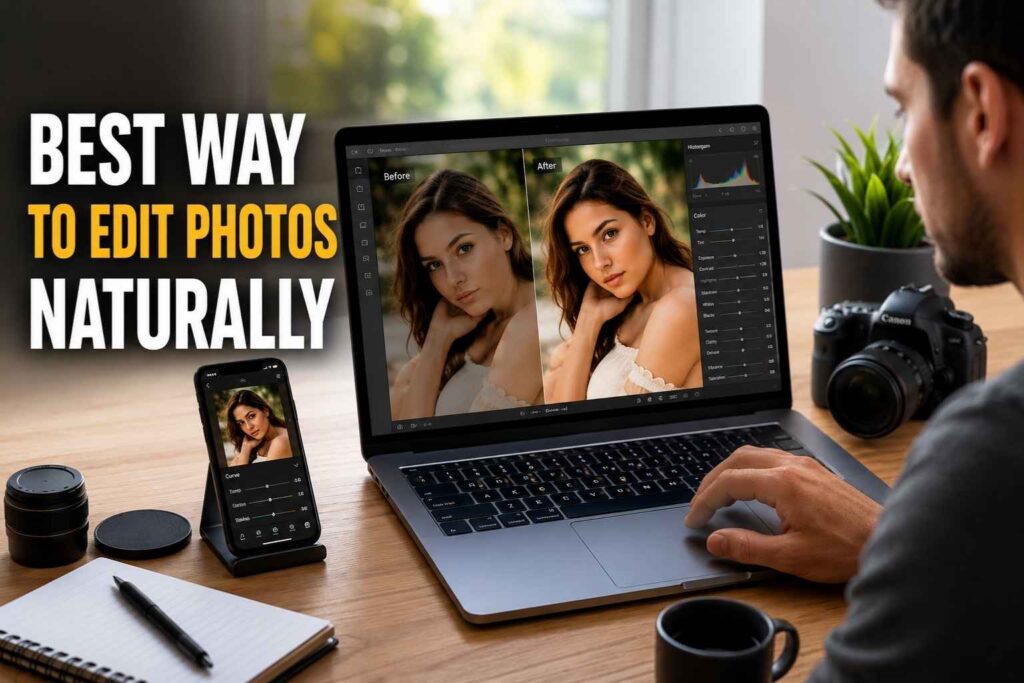
Best Way to Edit Photos Naturally
Many beginners think professional editing means dramatic filters and heavy effects. In reality, the best photography edits usually look clean and natural.
If you want to learn how to edit photos on android, focus on improving the original image instead of completely changing it.
Use Small Adjustments
Professional editors rarely make extreme edits. Small improvements in shadows, highlights, contrast, saturation, and sharpness usually create better results.
Natural photography edits often look more professional than heavily edited photos.
Avoid Too Many Filters
Filters can improve mood, but excessive filters often reduce image quality and make photos look unrealistic.
People searching for how to edit pictures on phone should focus more on manual editing techniques instead of depending completely on presets.
Professional photography edits usually rely more on balanced adjustments than strong filters.
Maintain Natural Colors
When images have balanced colors, they appear more real and attractive. Images that contain high levels of saturation often look very artificial, particularly in a portrait or outdoors. When editing with a professional photographer, the emphasis is to provide realistic color correction vs exaggerated effects.
Photo Editing Tips for Beginners
If you are new to editing, these beginner-friendly tips can help improve your skills faster.
Understand Lighting
Lighting affects every image. Natural light usually provides better editing flexibility and reduces the need for heavy corrections.
Good lighting makes photography edits easier and helps preserve image quality.
Practice Different Photography Styles
Try editing portrait photography, landscape images, food photography, product photos, and travel pictures. Different images require different photo editing methods and help improve editing creativity.
Compare Before and After Results
Comparing original and edited photos helps identify improvements and editing mistakes. This also helps avoid overediting.
Before-and-after comparisons are useful for improving photography edits over time.
Practice Editing Regularly
The more you practice how to edit photos on android, the easier it becomes to understand colors, composition, and exposure.
Regular editing practice also helps improve creativity and confidence while creating professional photography edits.
How to Edit Photos Like a Professional
Professional editors focus on storytelling, balance, and visual depth instead of heavy effects.
Use Selective Editing
Selective editing adjusts only specific areas of a photo. For example, editors may brighten faces, darken backgrounds, enhance sky colors, or sharpen important details.
Selective adjustments help guide viewer attention naturally and improve overall photography edits.
Recover Highlights and Shadows
Increasing shadows reveals hidden details, while lowering highlights restores bright areas. Balanced tones improve overall image quality and create polished results.
Apply Color Grading
Color grading changes the mood and atmosphere of a photo.
- Warm tones create cinematic visuals
- Cool tones create modern aesthetics
- Subtle grading creates professional results
Professional photography edits usually use natural color grading techniques for balanced visuals.
Popular Photography Editing Styles
Different creators prefer different editing styles depending on their audience and content.
Bright and Airy Editing
This style uses bright exposure, soft highlights, warm colors, and light shadows. It is commonly used in lifestyle photography.
Cinematic Editing
Cinematic edits include moody shadows, deep contrast, and film-inspired colors. This style works well for storytelling photography and creative portraits.
Minimal Editing
Minimal editing focuses on realistic improvements and natural colors. Simple photography edits often create the most timeless and professional results.
Common Photo Editing Mistakes
Over Saturation
Too much color makes photos look unrealistic and reduces image quality.
Excessive Sharpening
Over sharpening creates grain and rough edges that make photos appear unnatural.
Heavy Filters
Strong filters remove natural details and often make photos look fake.
Ignoring Composition
Editing cannot fully fix poor framing. Good composition is important before editing begins.
Ways to Edit Photos for Social Media
Social media images should look attractive while remaining natural.
Keep Colors Consistent
Consistent editing creates a professional-looking feed and improves visual branding.
Consistent photography edits also help create a recognizable style across social media platforms.
Use Correct Image Dimensions
Different platforms use different image ratios.
- Instagram feed works best in 4:5 format
- Stories use 9:16 dimensions
- YouTube thumbnails use 16:9 ratio
Using the correct dimensions improves photo appearance across platforms.
Keep Images Sharp
Slight sharpening improves visibility on mobile screens and makes photos appear cleaner.
Sharp and clean photography edits attract more attention on social media.
Final Thoughts
By applying sharpening techniques you can provide greater clarity and better textures for your Images, but applying excessive amounts of sharpening can lead to Image quality deterioration by introducing noise or rough edges into your Image. When editing a photo, it’s important to apply enough sharpening without compromising on the realistic Textures and details of your Image. Balanced photo edits maximally enhance photo clarity limitations and do not produce excessively “edited” or “processed” images.
TAGS
