

Photo editing has become an essential part of modern photography. Whether you’re capturing landscapes on a weekend trip, building a personal brand on social media, or creating professional content for your business, editing helps transform a good image into a memorable one.
While camera technology continues to improve every year, even the most advanced smartphone or professional camera cannot always capture a scene exactly as our eyes see it. Lighting conditions, color balance, exposure limitations, and environmental factors often require adjustments after the photo is taken.
Today’s creators have access to a wide range of editing solutions, from desktop software and AI-powered platforms to a powerful mobile phone photo editor that fits in their pocket. These tools make it possible to enhance colors, refine details, improve composition, and create a consistent visual style without needing years of professional experience.
The growing popularity of social media has also increased demand for advanced editing tools. Content creators, influencers, photographers, and businesses rely on photo editing software for Instagram and other platforms to ensure their images stand out in increasingly competitive feeds. At the same time, the rise of the online photo retouching tool has made professional-quality editing more accessible than ever.
In this comprehensive guide, we’ll explore the most valuable image editor features, discuss essential photo editor settings, and explain how modern editing technology is changing the way people create and share visual content.
Why Photo Editing Is More Than Just Applying Filters
Many beginners assume that photo editing simply means adding a filter and adjusting brightness. Professional photographers view editing differently. Instead of dramatically changing an image, they use editing techniques to strengthen the story, mood, and visual impact that already exist within the photograph.
Every image contains a combination of light, color, texture, and composition. Editing allows photographers to refine these elements and direct the viewer’s attention toward the most important parts of the scene. A portrait may require subtle skin retouching and color adjustments to create a polished appearance. A landscape image might need exposure balancing and contrast improvements to reveal details hidden in shadows and highlights.
The goal is not to create an artificial-looking image but to produce a photograph that feels natural, balanced, and visually compelling. Successful editing enhances reality rather than replacing it.
Understanding Essential Image Editor Features
Modern editing software includes dozens of tools and controls, but some image editor features have a greater impact on image quality than others. Understanding these features helps photographers make informed editing decisions and achieve more professional results.
Exposure and Light Adjustments
Exposure is one of the first elements photographers adjust during editing. Even well-captured images can benefit from minor exposure corrections. Increasing exposure can brighten dark photos, while reducing it can recover details in overexposed areas.
Advanced editing tools also allow users to adjust highlights, shadows, whites, and blacks independently. These controls provide more flexibility than a simple brightness slider and help preserve image detail across different tonal ranges. When used carefully, exposure adjustments can dramatically improve the overall balance of a photograph.
Color Correction and White Balance
Color plays a significant role in how viewers perceive an image. Incorrect white balance can make a photo appear too warm or too cool, affecting the overall mood and realism of the scene.
Professional photographers often spend considerable time refining color tones during editing. By adjusting temperature, tint, saturation, and vibrance, they can create images that feel more natural while still maintaining visual impact. Color correction is particularly important for portrait photography, product photography, and social media content, where accurate colors help build trust and credibility.
Cropping and Composition Enhancement
Composition is often determined when a photograph is taken, but editing provides an opportunity to refine it further. Cropping can remove distractions, improve balance, and strengthen the relationship between the subject and the surrounding environment.
Many editing tools include composition guides such as the rule of thirds and grid overlays, helping users create visually pleasing arrangements. A simple crop can sometimes transform an average image into a much stronger visual composition.
Retouching and Detail Refinement
Retouching tools are among the most commonly used image editor features in portrait and commercial photography. These tools allow editors to remove blemishes, reduce distractions, smooth skin textures, and enhance important details.
The key to effective retouching is moderation. Excessive retouching often results in unnatural images that appear artificial. Professional editors focus on preserving realistic textures while subtly improving the overall appearance of the subject.
How Cool Editing Apps Are Changing Photography
The editing landscape has changed dramatically over the past few years. What once required expensive software and high-performance computers can now be accomplished using cool editing apps on smartphones and tablets.
These applications combine powerful editing capabilities with intuitive interfaces, making advanced editing techniques accessible to users of all skill levels. Many apps incorporate artificial intelligence to automate tasks such as object removal, portrait enhancement, sky replacement, and color correction.
The convenience of mobile editing has transformed how creators work. Instead of waiting until they return to a desktop computer, photographers can edit and share content almost instantly. This speed is particularly valuable for social media creators who need to publish high-quality content regularly.
As smartphone cameras continue to improve, cool editing apps are becoming an essential part of the modern photography workflow.
Choosing the Right Mobile Phone Photo Editor
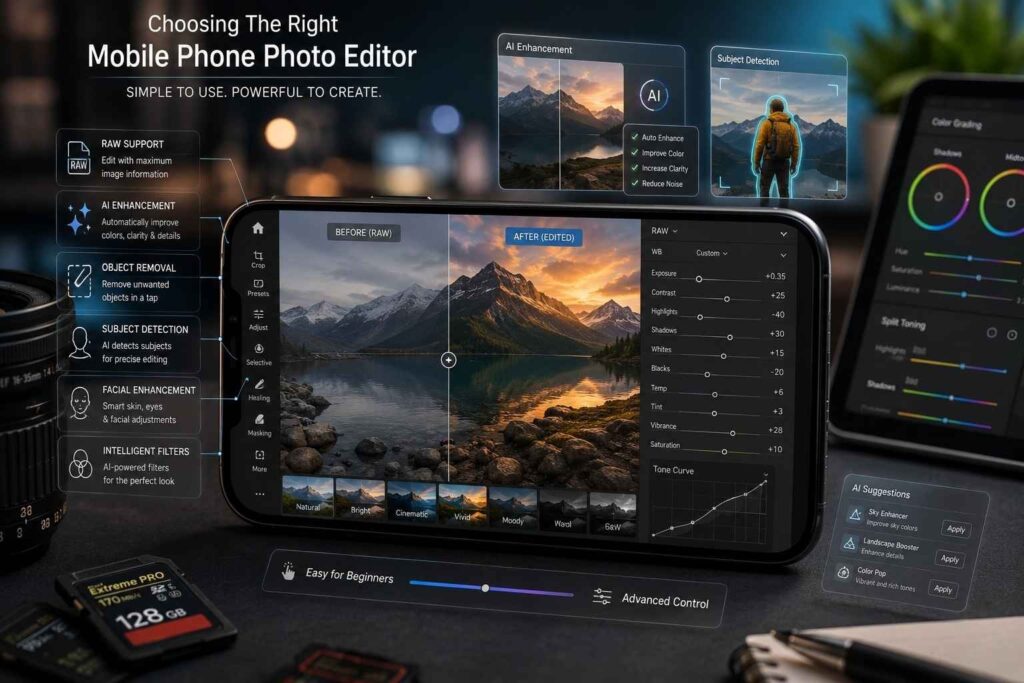
Not every editing application offers the same level of functionality. A quality mobile phone photo editor should provide a balance between simplicity and professional-level control.
Ease of use is important, especially for beginners. An intuitive interface allows users to focus on creativity rather than struggling to navigate complicated menus. At the same time, advanced users often require greater control over exposure, color grading, and selective adjustments.
RAW photo support has become another important consideration. RAW files contain significantly more image information than standard JPEG files, allowing for more extensive editing without sacrificing quality. Professional photographers often prefer editors who can handle RAW images efficiently.
Artificial intelligence is also playing an increasingly important role. Modern mobile editing applications can automatically enhance photos, detect subjects, remove unwanted objects, and apply intelligent corrections that previously required manual editing expertise.
Mastering Photo Editor Settings for Better Results
Understanding photo editor settings is often what separates amateur edits from professional-quality work. While every image requires a unique approach, certain settings consistently influence image quality.
Contrast and Depth
Contrast determines the relationship between light and dark areas within a photograph. Increasing contrast can add depth and visual impact, making subjects appear more defined. However, excessive contrast may result in lost details and harsh transitions.
Professional photographers typically adjust contrast gradually while monitoring shadow and highlight detail to maintain a natural appearance.
Saturation and Vibrance
Saturation and Vibrance will both affect how bright a color appears; however, they have different functions. Saturation increases the brightness of all colours equally, while Vibrance increases the brightness of mainly the less bright colours.
As Vibrance produces less extreme results than Saturation, it is used more often by editors when wanting to enhance colours naturally. When Saturation is used too much, it creates colours that are unrealistic and draws your attention away from the picture instead of enhancing the picture.
Sharpness and Clarity
The use of sharpness allows you to view fine details more clearly, whereas the clarity setting increases the amount of local contrast and texture in an image. When both of these settings are applied judiciously to a photograph, they can create an image that looks very detailed and professional.
When too much sharpening is used, there may be excessive artifacts and noise introduced into the final edited product, and therefore it’s important to get that perfect balance between enhancing detail and maintaining a natural image.
Noise Reduction
Digital Noise can exist in photos taken under low-light conditions. Noise Reduction tools are used to reduce grainy textures while maintaining important details of photos.
With advanced algorithms; cutting-edge photo-editing applications have been designed and developed to decrease digital noise from images, without creating significant loss of sharpness. This feature is most useful when photographing at night or using a smartphone camera.
The Growing Role of Online Photo Retouching Tools
Cloud-based editing platforms have become increasingly popular among photographers, businesses, and content creators. An online photo retouching tool eliminates the need for software installation while providing access to powerful editing features through a web browser.
These platforms offer flexibility and convenience, allowing users to edit images from virtually any device with an internet connection. Many tools also leverage cloud computing to process complex edits more efficiently than local devices.
Artificial intelligence has further expanded the capabilities of online editing solutions. Tasks such as portrait enhancement, background removal, object cleanup, and color correction can now be completed in seconds. This combination of speed and accessibility makes online retouching tools an attractive option for both professionals and casual users.
Why Photo Editing Software for Instagram Matters
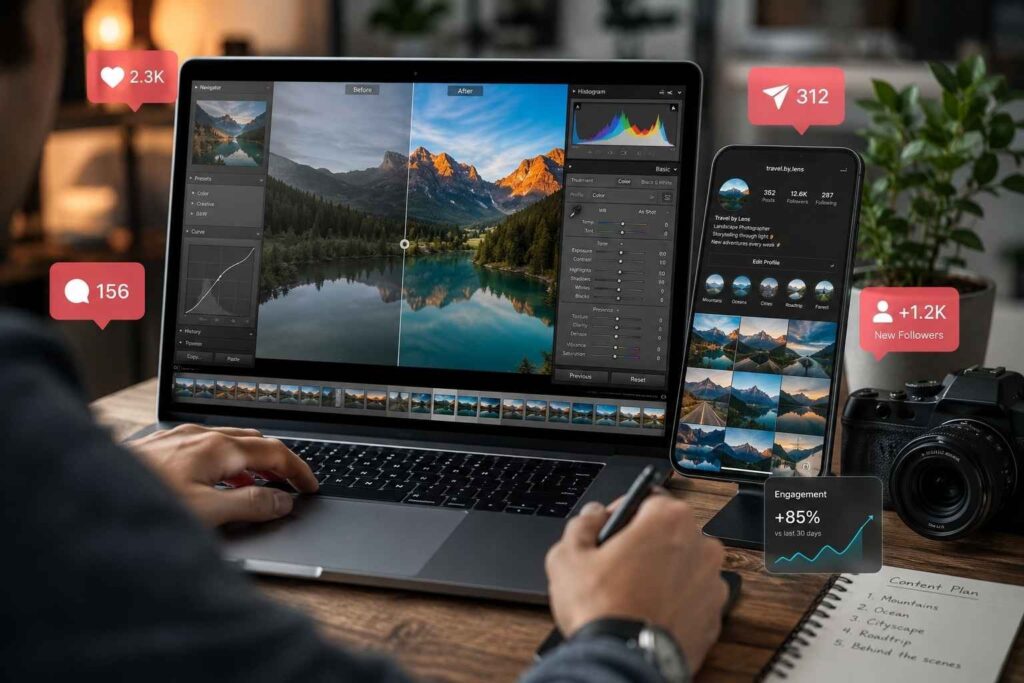
Instagram is one of the most visually driven platforms in the digital world. Every day, millions of images compete for attention, making visual quality more important than ever.
Photo editing software for Instagram helps creators develop a consistent aesthetic that strengthens brand recognition and audience engagement. Consistency is particularly important for influencers, businesses, and photographers who want their profiles to appear cohesive and professional.
Editing also improves storytelling. Through color grading, contrast adjustments, and creative enhancements, photographers can communicate emotions and reinforce the message behind each image. A carefully edited photograph often captures attention more effectively than an unedited one, increasing the likelihood of engagement and sharing.
As competition continues to grow, editing has become an essential component of successful Instagram content creation.
Common Editing Mistakes to Avoid
There are many mistakes that result in the poor quality of photographs, even with access to advanced software. Unfortunately, one of the biggest problems is over-edited photographs. Over-adjustment of photographs usually results in unrealistic images that draw viewers’ attention to the editing instead of the subject.
Another common mistake made by photographers is relying too much on filters to adjust their photographs. Filters usually give a good starting point; however, they will rarely give the best final result without additional adjustments. Another issue with excessive skin smoothing is that it often removes many of the natural skin textures, leaving skin looking artificial.
Oversharpening is another common problem with edited photos. It is important to create more detail in an image; however, when an image is over-sharpened, it will create visual artifacts in the image, which will lower the overall quality of the image.
Restraint is essential for the successful editing of photographs. The best edits are usually the ones that have improved the photograph while being nearly invisible to the viewer.
The Future of Photo Editing Technology
The development of photo editing has progressed at an astounding speed. Advances in artificial intelligence have improved the ability of edit software to execute tasks that, in many cases, used to require a tremendous amount of human input. Future tools will likely have even more automation and flexibility to create without limiting creativity.
Additionally, the rapid increase in cloud-based workflows will likely lead to more frequent collaboration and editing across multiple devices, and with the development of real-time image enhancement technologies, photographers will also be able to view professional-image-quality edits prior to taking a picture.
The addition of machine learning to provide personalized editing recommendations may also streamline the editing process for individual users by tailoring recommendations to users’ preferences and style. As technology advances, the line between taking pictures and editing them will continue to blur and create more opportunities for photographers and content creators.
Conclusion
Photo editing is now attainable by all creators using mobile software, desktop equipment, and the internet. Today, creators can access a wide variety of photo retouching and editing tools and software. Familiarizing yourself with essential features of photo editing software (and how to use them) can greatly improve the quality and effectiveness of your images.
The same basic principles for enhancing images apply whether you are using a mobile device to enhance images shot with your mobile phone or using a professional editing software program for Instagram. Thoughtful photo editing can enhance storytelling, improve consistency throughout a body of work, and allow websites, publications, etc., to visually communicate through photographs. For photographers and creators, mastering these techniques will create stunning images that will capture viewers’ attention and create a lasting impression.
TAGS
